
How to make a Bulin 47 AI performance from one photo
Bulin 47 AI needs one performer photo. The important detail is which person it replaces: the active lead behind the person holding the speaker. The speaker holder and crowd stay in their source roles. Use this guide to choose a portrait for that moving lead, then open the Bulin 47 AI generator.
Make a Bulin 47 AI video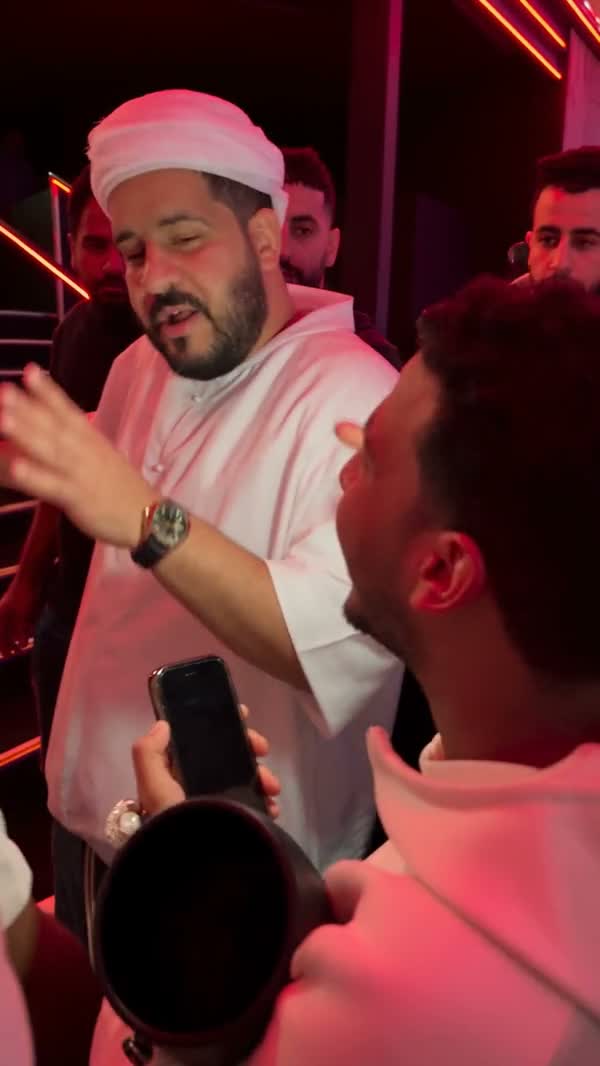
Find the lead in the busy frame
The Bulin 47 AI scene gets its energy from close spacing: people gather around a performer while someone carries a speaker in the foreground. A new face should remain attached to the performer even when other bodies cross the camera. Before uploading, watch Original in the tool and follow the intended lead for the whole clip.
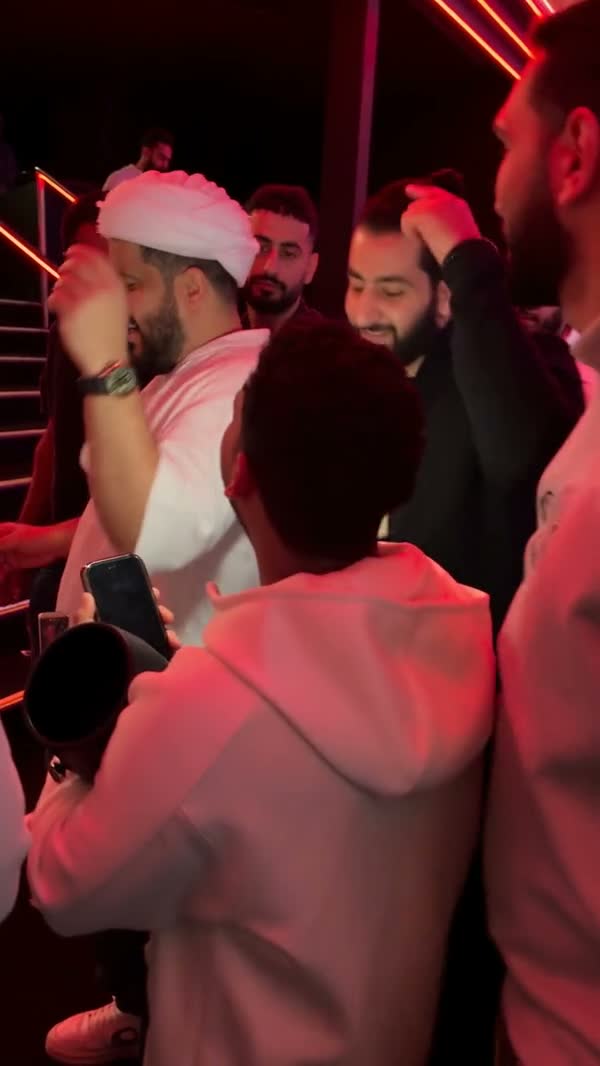
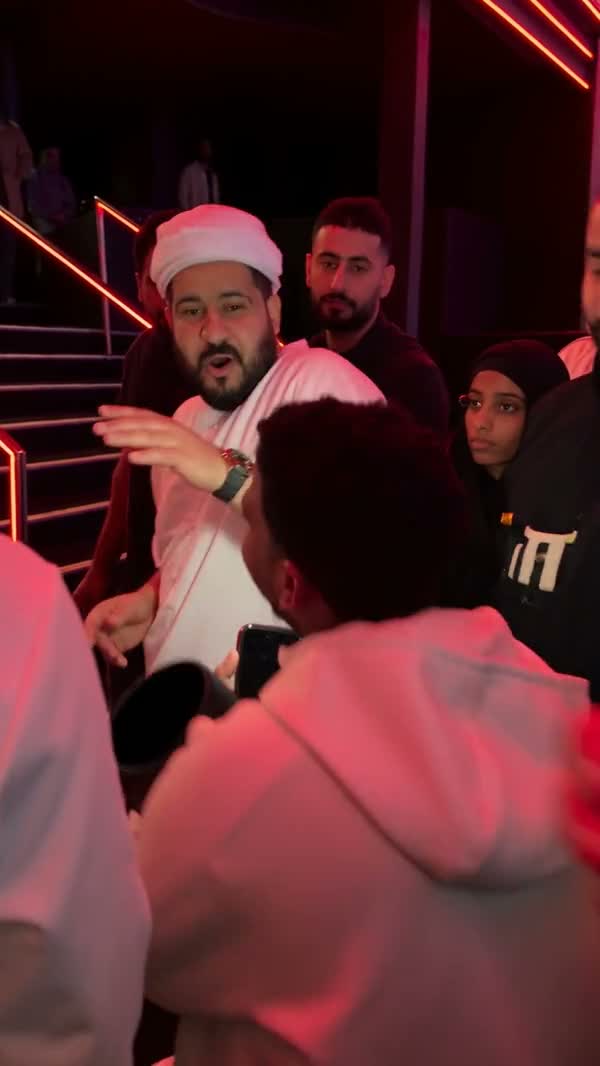
This separate community example illustrates how a different outfit changes the focal point. Compare it with the loaded reference to understand the role, rather than copying the example’s clothes. The dedicated Bulin 47 AI template uses an approximately 23-second performance; community adaptations may have different lengths or edits.
Choose a portrait that survives close movement
Keep the head and upper body together
A chest-up or waist-up photograph gives the model both identity and wardrobe information. Leave the neck and shoulder line visible. A tight face crop may describe the eyes well while leaving the rest of the performer uncertain.
Choose an outfit that reads immediately
A simple jacket or shirt creates a clear silhouette against the crowd. Tiny lettering and intricate patterns are harder to inspect during movement. Choose the look you want before uploading instead of expecting the tool to design it from the scene.
For Bulin 47 AI, the input does not need red lighting or a nightclub background. Even light is more useful because it makes facial features easier to see. Avoid a photo where another face touches the intended subject, a phone covers the mouth, or a strong filter changes the skin and hair.
You only upload one image in this tool. Do not combine several friends into a contact sheet to work around that single role. The prepared instructions target one performer; a collage makes the appearance reference ambiguous without adding new replacement slots.
Generate your Bulin 47 AI video
1Open the prepared performance
Go to Bulin 47 AI and watch the original preview. There is no reference-video upload step on this page. Check that this is the crowded performance you want.
2Add the performer photo
Choose the Performer photo slot. Inspect the uploaded thumbnail and replace it if the face or outfit is unclear. Uploading is preparation; the task starts when you select Generate.
3Review resolution and cost
Settings sits near the generation action. Choose an available resolution and read the credit estimate before submitting. The reference sets the timing and frame; no custom prompt is required for the prepared performance.
4Follow the task and download
Sign in when requested and submit once your portrait is ready. Open My creations to follow the task. Play the completed clip with sound, check it at normal size, and download the result you intend to use.
Judge the performance after people cross the camera
The wrong person seems to carry the new face
Identify the speaker holder and the lead separately. Follow the lead across the moving crowd instead of judging the nearest person in a single frame.
Confirm that your expectation matches the tool’s role. The single photo does not request a replacement of every person or the person holding the speaker.
The appearance drifts during a turn
Compare the face, hairline, and shirt before and after the turn. Rapid expression changes are normal in a performance; a different jaw or changing clothes can signal lost continuity.
If you try another portrait, choose one with less facial obstruction and a clearer shoulder outline. Higher resolution alone cannot guarantee improved identity tracking.
The clip works in miniature but looks unstable full size
Watch hands near the face and the boundary between the lead and nearby people. These details can be hidden in a thumbnail.
Review the downloaded video before sharing. Decide whether any visible error matters to your intended use rather than submitting another task automatically.
Bulin 47 AI asks the model to carry your appearance through the existing performance. It can still change fine details or lose consistency behind an obstruction. A clear reference reduces uncertainty without guaranteeing a precise likeness throughout every frame.
Choose a different casting workflow when needed
If your idea needs several independently assigned roles, the Gas Station Dance tutorial explains a three-photo setup. For an original character portrait, prepare a still in the AI Image generator. The AI Video workspace offers general creation modes when you want your own prompt; check the selected model’s supported inputs before building a different scene.
Bulin 47 AI questions before you start
Does Bulin 47 AI replace the speaker holder?
The target is the lead performer behind the person holding the speaker. The speaker holder and surrounding people remain in their source roles.
How many photos does Bulin 47 AI accept?
One performer photo. A group photograph does not create additional roles. Use a clear image of the one person you want to perform.
Will the video use my own voice?
The finished performance uses the reference soundtrack. Uploading a portrait does not record or clone the voice of the person in the photo.
Why is Generate unavailable after I choose a file?
Allow image preparation to finish, then check any message next to the inputs or generation action. Confirm that the required photo and prepared reference are ready. Follow the displayed correction before submitting again.
Choose the performer, keep the scene
One readable portrait is the starting point. Watch the reference once, then give its lead a new appearance.
Make a Bulin 47 AI video