Skip to content

Bulin 47 AI Video Generator

Create a Bulin 47 AI video from one character photo. Step into the crowded-room performance with the reference movement and original sound.

Create a video

Bulin 47 AI23s · Original soundtrack
Performer photo
Bulin 47 AI reference performance

A different lead in the Bulin 47 AI scene

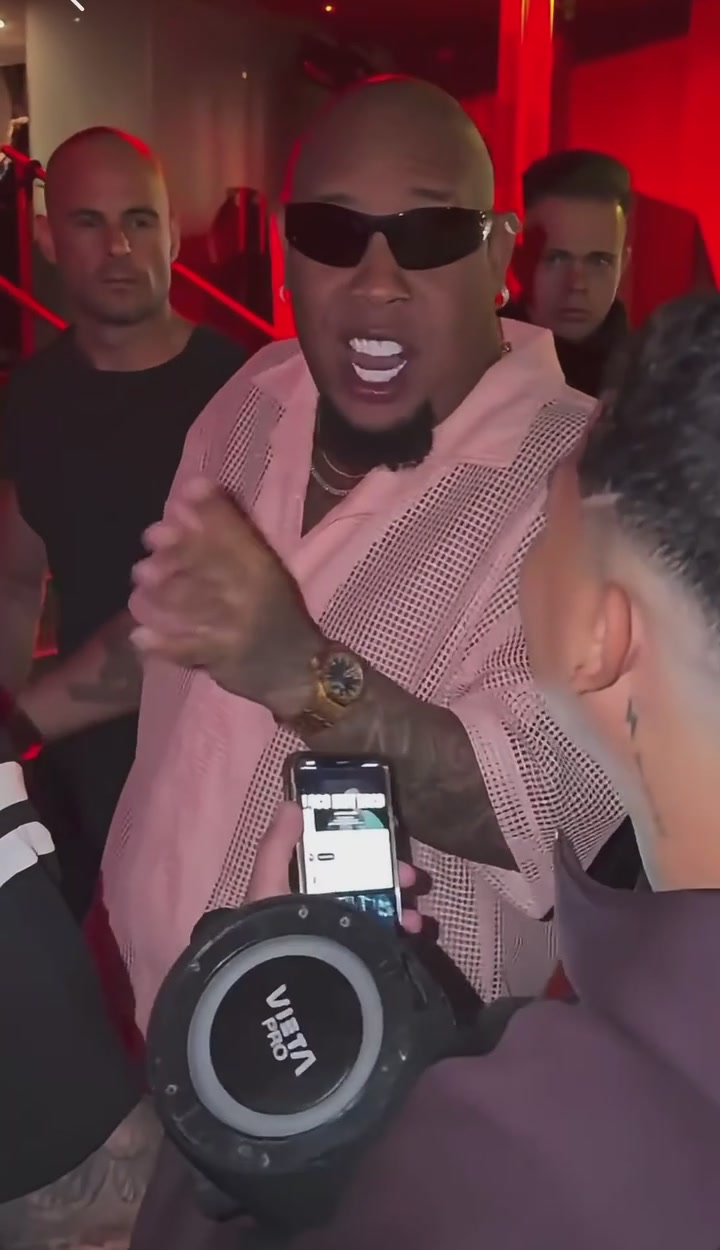
Bulin 47 AI puts a character from your photo into the featured performance. The scene already has its rhythm: a crowded room, a person carrying a portable speaker, and the performer moving behind them. Your image supplies the replacement lead; the loaded clip supplies the action. You do not have to film a dance or assemble a cast. Choose the look you want, inspect the reference, and create a version that follows this specific performance. The speaker holder and the other people are meant to remain in place.

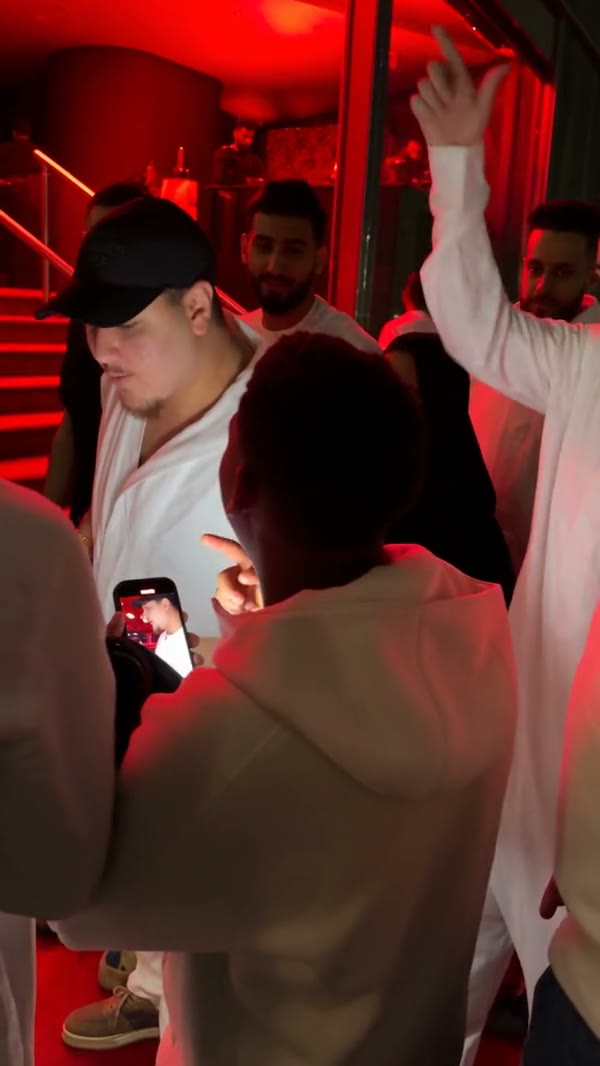
Community Bulin 47 performance with a white-shirt lead and black cap

Make your first Bulin 47 AI video

  1. 01

    Choose the Bulin 47 AI performer

    Upload a clear image of one person. Include enough of the head, shoulders and clothes to communicate the look. The first upload belongs to the performer behind the speaker holder, so avoid group portraits that leave the intended person ambiguous.

  2. 02

    Check your reference and settings

    Watch the loaded clip, open Settings and choose an available resolution. Bulin 47 AI comes with its character-replacement prompt prepared. Review the credit estimate before selecting Generate; choosing a file alone does not place a paid request.

  3. 03

    Review your Bulin 47 AI result

    After the job finishes, open My creations and watch the complete video with sound. Check the face through turns and obstructions, then download the version you like. Your video history provides another route back to saved creations.

What you can create with Bulin 47 AI

How Bulin 47 AI uses your appearance

A recognizable performance can feel very different when the lead has a new outfit or silhouette. Bulin 47 AI uses the photo as an appearance reference for the person, including visible hair, skin tone, clothing and accessories. A picture showing the intended shirt and upper body gives the edit more useful information than an isolated face crop.

Choose a photo whose details you actually want in the result. Bulin 47 AI cannot reliably reconstruct a jacket hidden outside the frame, and small lettering or jewelry may change. A simple, well-lit portrait with distinct clothing is a practical starting point for a personal remix or a fictional character concept.

Keep the speaker holder in their own role

The foreground person carrying the portable speaker is part of the scene, not an extra upload slot. Bulin 47 AI targets the performer behind that person. The prepared instructions ask the edit to retain the speaker holder, their object and the surrounding crowd while changing the selected lead.

This separation matters when choosing an image: you only need the appearance of the new performer. Adding a collage of friends does not turn Bulin 47 AI into a multi-person casting tool. Crowded frames still create a risk of a face or hand changing unintentionally. Review the people close to the lead as carefully as the lead itself.

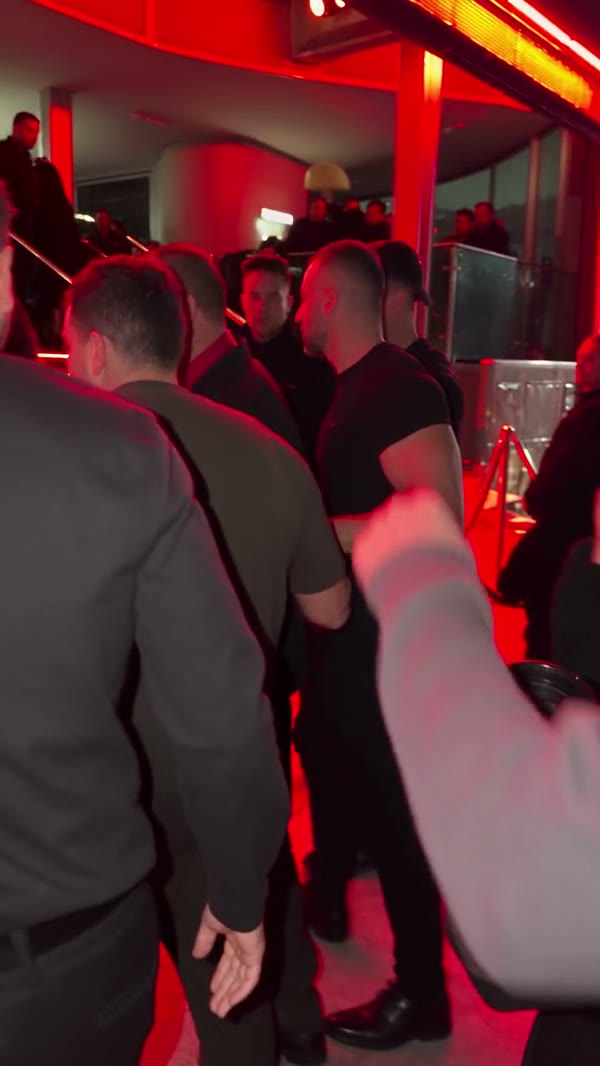
Community performer wearing a red shirt, dark vest and glasses

The movement behind Bulin 47 AI

A still image does not need to show the source gesture. The reference already carries the body movement, changes of posture and timing. Bulin 47 AI applies your character to that sequence, so a relaxed standing portrait can be more useful than a blurry screenshot of somebody trying to imitate the dance.

Your character can bring a different visual mood through clothing and expression, but the underlying performance remains fixed. Bulin 47 AI is a good fit for exploring who occupies this scene. If you want a new setting, another camera move or a different story, the AI Video Generator gives you a separate place to develop that idea.

Watch the moments when the face disappears

The camera does not provide an unobstructed portrait for the entire clip. Turns, nearby people and a phone crossing the view make identity continuity especially important. In Bulin 47 AI, the character should remain the same when the face comes back into view, with consistent hair and clothing across the interruption.

Check those transitions before sharing. A convincing opening frame does not establish the quality of the full result. Bulin 47 AI can still produce changing features, unusual fingers or inconsistent accessories during fast motion. Reviewing the beginning, the obstructed moments and the final pose gives you a more useful assessment than judging one attractive thumbnail.

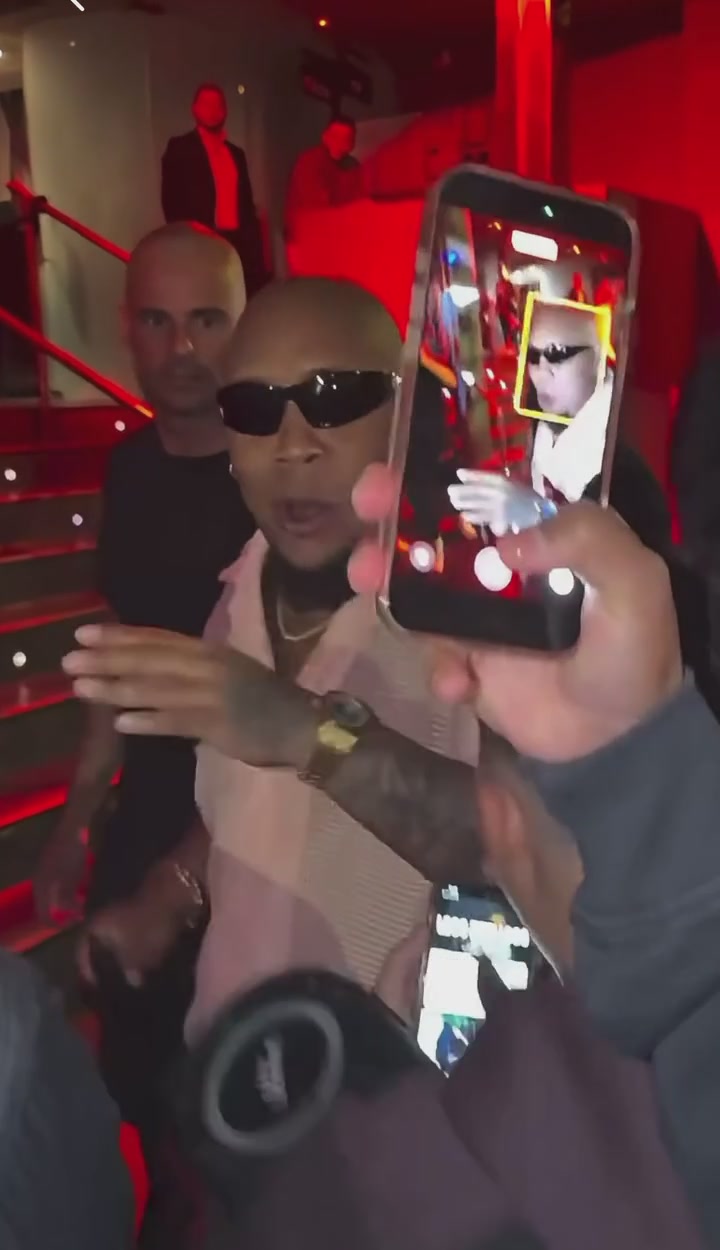
A phone crossing the source performer near the end of the clip

The original Bulin 47 AI soundtrack

Bulin 47 AI pairs the edited picture with the sound from the loaded reference. You do not need a second audio file to reproduce the timing of this clip, and there is no need to ask the model to invent music. The performance and its audio are treated as parts of the same finished scene.

This does not create a new recording of your character speaking or singing. Bulin 47 AI follows the visible mouth movement in the footage, and exact lip synchronization is not guaranteed. Listen when reviewing the result, especially around the start and end. Using the template does not grant additional rights to distribute its soundtrack.

Bulin 47 AI character ideas

Use a portrait of yourself, a consenting friend or a character image you are allowed to edit. Bulin 47 AI can help you explore a playful introduction, a group-chat reaction or a costume idea without staging the reference performance again. One attempt produces one interpretation of the photo in this specific scene.

For an outfit comparison, prepare the alternative appearance first and make a separate request. Bulin 47 AI does not create a wardrobe collection from one upload. Keep the photo framing reasonably similar between attempts so that you can compare the clothing or identity choice without changing every input at once. Results can differ even when the inputs are similar.

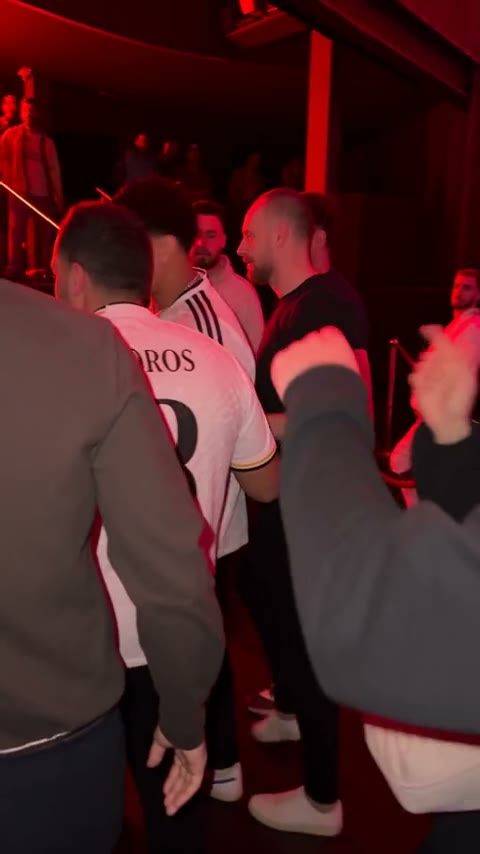
Community adaptation with a curly-haired lead in a white football jersey

Choose clarity before increasing resolution

A larger output setting is not a substitute for a useful source portrait. For Bulin 47 AI, start with a photo where the main face is sharp and large enough to inspect, the lighting is even, and another person is not covering important features. Avoid relying on an extreme filter to define the identity.

Then choose from the resolutions shown in Settings. Bulin 47 AI follows the loaded clip's shape and length; this page does not offer a separate duration control. The Generate estimate reflects the selected request. If the image needs correction, use the AI Image Generator or choose another original photo before spending credits on a new video.

A focused template with a clear stopping point

Bulin 47 AI is designed around one replacement role. The room, crowd, performance and camera are established by the reference, which keeps the creative decision focused on the lead. Trying to replace the whole environment in a custom prompt can conflict with the prepared instructions and produce a less coherent result.

Leave the default prompt in place for your first Bulin 47 AI attempt. If you later edit it, preserve the one-photo assignment and describe a specific, limited change. A saved result can be reopened without generating again. Only start another request when you have an input or setting you actually want to change.

White-shirt community lead performing behind the foreground speaker holder

Bulin 47 AI: your questions answered

How many photos does Bulin 47 AI accept?

There is one character role and one photo to provide. Choose an image of a single intended performer rather than a group collage. The person holding the portable speaker and the crowd do not need their own reference portraits for this template.

Who changes in a Bulin 47 AI video?

The replacement target is the performer behind the person with the speaker, identified in the source by sunglasses and an open light-pink shirt. Other people are meant to retain their appearance. The result still needs review because close interactions can introduce unintended changes.

Can Bulin 47 AI change the outfit too?

The reference image supplies the visible appearance of the character, including clothing. Use a portrait that shows the outfit you want. Hidden areas must be inferred, and detailed patterns, accessories or lettering may not reproduce exactly across a moving sequence.

Does Bulin 47 AI require a recorded dance?

No. The performance video is already loaded and supplies the movement. You provide a still character image. You do not need to rehearse or record the original gestures, and uploading a new performance is outside this fixed template.

How long is the finished clip?

The result follows the source performance, approximately 23 seconds in a vertical frame. Duration is determined by that reference rather than a separate length selector. The final encoded file may have small timing differences, so check the complete downloaded video.

Is the Bulin 47 AI soundtrack included?

The original sound from the reference is included with the finished edit. It is not a newly generated voice for the uploaded person. If you plan to publish the clip, check that you have the necessary permissions for the photo, footage and audio.

Can I use a custom Bulin 47 AI prompt?

Settings includes a custom-prompt option. The prepared prompt is a useful default because it identifies the performer and the people to preserve. If you make changes, keep that distinction clear and avoid asking one photo to supply several unrelated identities.

Is Bulin 47 AI free to generate?

You can inspect the reference and prepare your upload before making a request. Video generation requires an account and enough credits for the displayed estimate. Consult Pricing for available plans; a plan example for another model is not a quote for this performance.

Where can I find my completed video?

Use My creations in the workspace or open your video history. Select the finished result to preview and download it. If a task is still processing, follow its displayed status rather than submitting the same idea repeatedly in the hope of speeding it up.

What should I check before sharing Bulin 47 AI?

Watch for identity changes after the phone crosses the camera, unexpected changes to the speaker holder, distorted hands and mismatched clothing. Listen to the sound as well. A clear first frame is only one part of assessing whether the entire performance is ready to share.

Put your character into Bulin 47 AI

Choose one strong portrait, keep the prepared performance, and see how your character carries the scene. Review the settings and credit estimate before generating.

Try Bulin 47 AI