
Plan your three-person Gas Station Dance AI video
Gas Station Dance AI moves the camera between three people instead of keeping one performer in view. The important preparation is deciding which photo belongs to each role. This guide follows the opening dancer, the selfie operator, and the person beside the car so you can fill the Gas Station Dance AI generator without mixing them up.
Try Gas Station Dance AI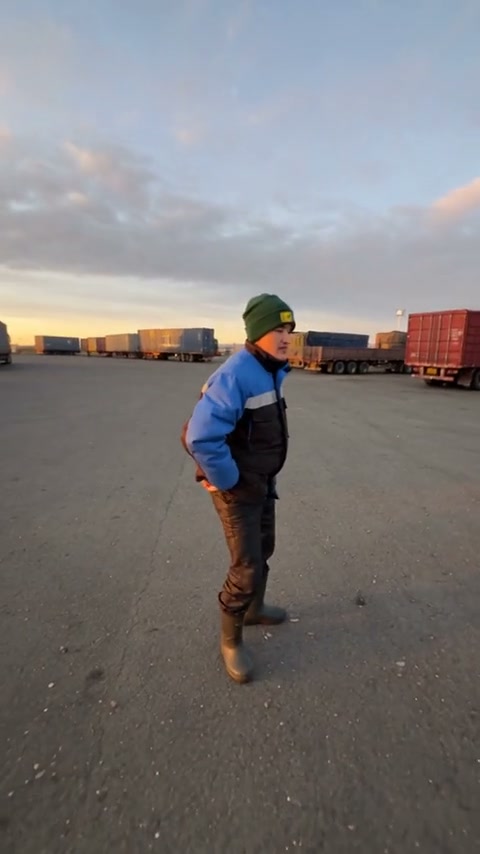
Follow the camera through the forecourt
The tool’s loaded sequence is about 18 seconds long. It begins with a dancer, turns to the person filming, introduces a car-side performer, and returns to the selfie operator. The person behind the camera is therefore a visible character too. Choosing only the first dancer’s photo leaves the other two required roles unfinished.
This community adaptation uses a green beanie and blue workwear for the opening dancer, with capped characters appearing as the camera moves. Watch how much the view changes from a full-body dance to a close selfie. The example illustrates the casting idea; the exact movement and timing in your task come from Original in the tool.
Assign the three Gas Station Dance AI photos
1Opening dancer
Choose the person who should perform at the start. An image showing the face, torso, and enough of the outfit gives the model useful information for the wider view. Avoid cutting the top of the head or hiding the body behind a table.
2Selfie operator
Choose the person who appears when the camera turns toward its holder. This identity also belongs to the returning selfie moment at the end. Use one clear face with readable eyes and hair; the close view makes small distortions easier to notice.
3Car-side performer
Choose a separate appearance for the person beside the car. Include the outfit and body shape you want represented. This role is introduced by the camera movement, so it should remain distinguishable from the opening dancer and operator.
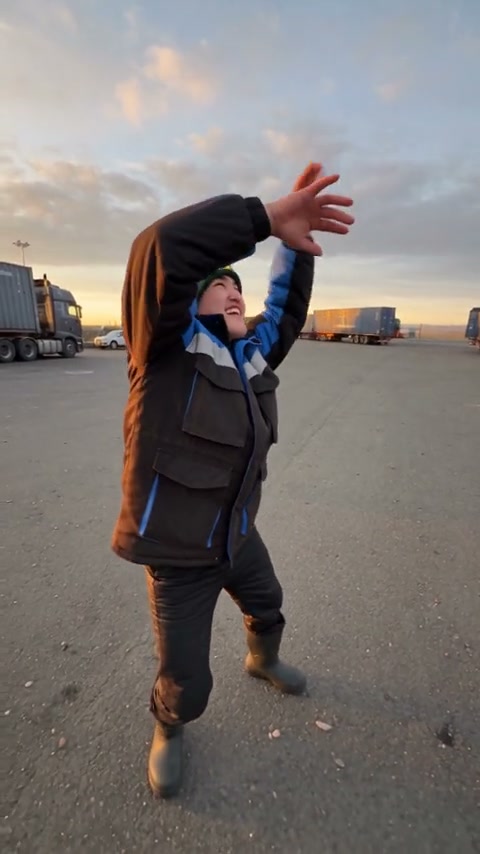
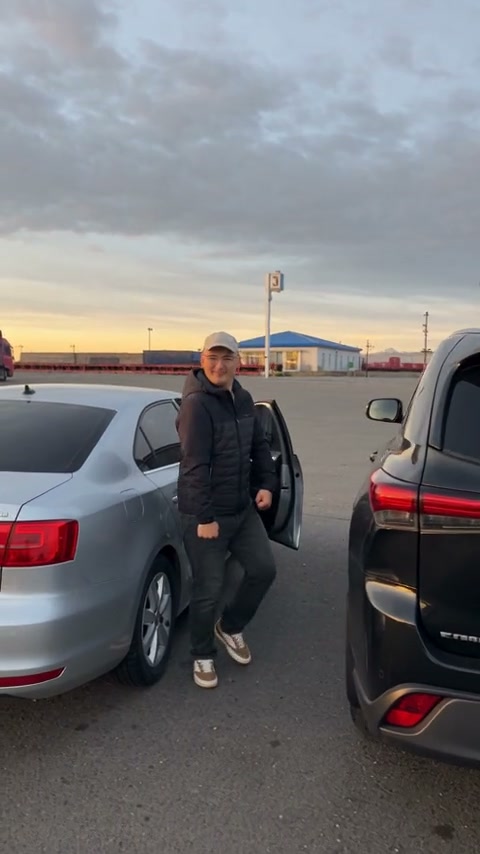
Before uploading, put the three photos in this order on your device. The upload slots are labeled, so check the thumbnails after each choice. A group photo or a three-person collage does not replace the three separate inputs. Use images you have permission to use, and avoid photos where another face overlaps the intended subject.
Clothing can help you track the cast. Distinct colors make it easier to tell whether a face changed during a camera turn or whether the video has simply moved to another role. Tiny logos, glasses details, and hat lettering may vary, so use larger visual cues when judging continuity.
Create the Gas Station Dance AI clip
1Compare your plan with Original
Open Gas Station Dance AI and play the reference once. Match each person to the slot labels before adding your photos. This prevents confusing the first person on screen with the camera operator.
2Complete all three inputs
Upload each photo to its named role. Replace a thumbnail if it shows the wrong person. If a recovered draft contains extra photos, remove the visible extras before submitting; keep the three intended roles in order.
3Review Settings and credits
Open Settings to choose among the available resolutions. Check the current credit estimate near Generate. The prepared template already provides the scene instructions and motion reference, so a written dance prompt and separate music upload are unnecessary.
4Generate, then inspect the return
Sign in when requested, submit, and follow the task in My creations. When ready, play the complete video with sound. Pay special attention to the last selfie moment, then download the result after reviewing all three roles.
Check identity at the camera transitions
The opening dancer is correct but a later person is wrong
Compare the later person with the second and third upload thumbnails. The moving camera can make a role-order mistake look like random identity drift.
Check the labeled assignment before changing the photo itself. If the order was correct, a clearer single-person reference may help another attempt, though consistent likeness is not guaranteed.
The selfie operator changes on the return
Compare the earlier selfie with the final one: face shape, hair, headwear, and clothing should still read as the same chosen character.
The second slot owns both appearances. Do not add a fourth photo for the ending. Use a clear portrait for that role and review the existing result before spending credits on another version.
Hands or clothing distort near the car
Watch the transition into the car-side view at normal speed and pause near the closest overlap with the vehicle.
Generated fingers, fabric, and occluded body parts can vary. A less obstructed photo provides more useful information, but the final sequence still needs visual review.
Pick a simpler role setup for your next idea
If you only want to cast one person, follow the Bulin 47 AI tutorial or the Cheba Man AI tutorial. For a coordinated crowd with a distinct lead, read the STORM II AI guide. Each tutorial uses the controls of its own tool; photo counts are not interchangeable between templates.
Gas Station Dance AI casting questions
Why does Gas Station Dance AI ask for three photos?
The loaded scene has three assigned roles: the opening dancer, the selfie operator, and the car-side performer. Each required slot supplies the appearance for one role.
Which photo controls the person at the end?
The ending selfie returns to the operator assigned in photo 2. It does not require a separate fourth character.
Do I need to film myself dancing at a gas station?
No. The prepared reference supplies the location, camera movement, and performance. You provide the three character photos.
Will my Gas Station Dance AI video have sound?
The workflow restores the reference soundtrack to the generated performance. Listen to the completed output as part of your review before downloading.
Choose your dancer, camera operator, and car-side character
Three clear photos in the right slots make the scene easier to prepare and the finished video easier to check.
Try Gas Station Dance AI