
Make a Single Ladies Dog AI video with one clear pet photo
Single Ladies Dog AI turns one dog photo into the central character of a prepared studio dance. You supply the pet’s appearance; the scene supplies the routine. Start by choosing an image with readable ears, muzzle, coat, and body, then use the Single Ladies Dog AI tool to create the clip.
Try Single Ladies Dog AI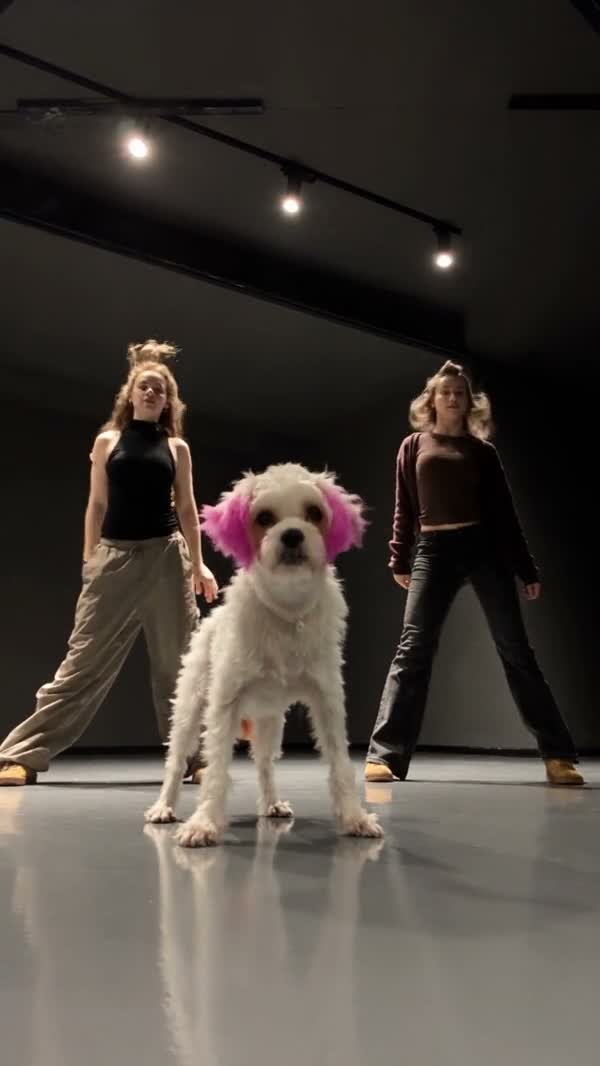
Choose this routine for one central dog
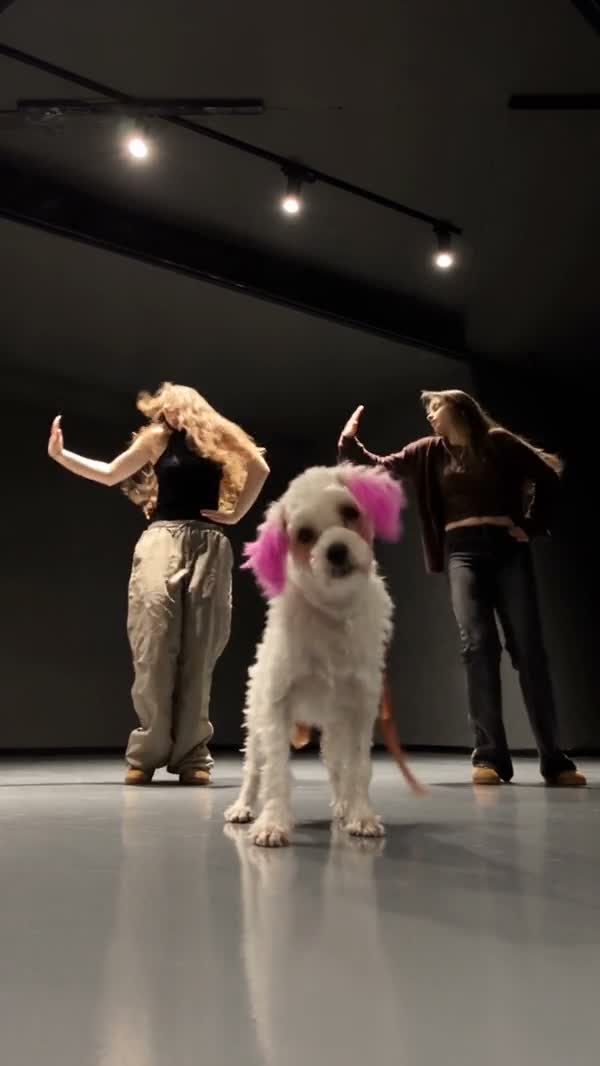
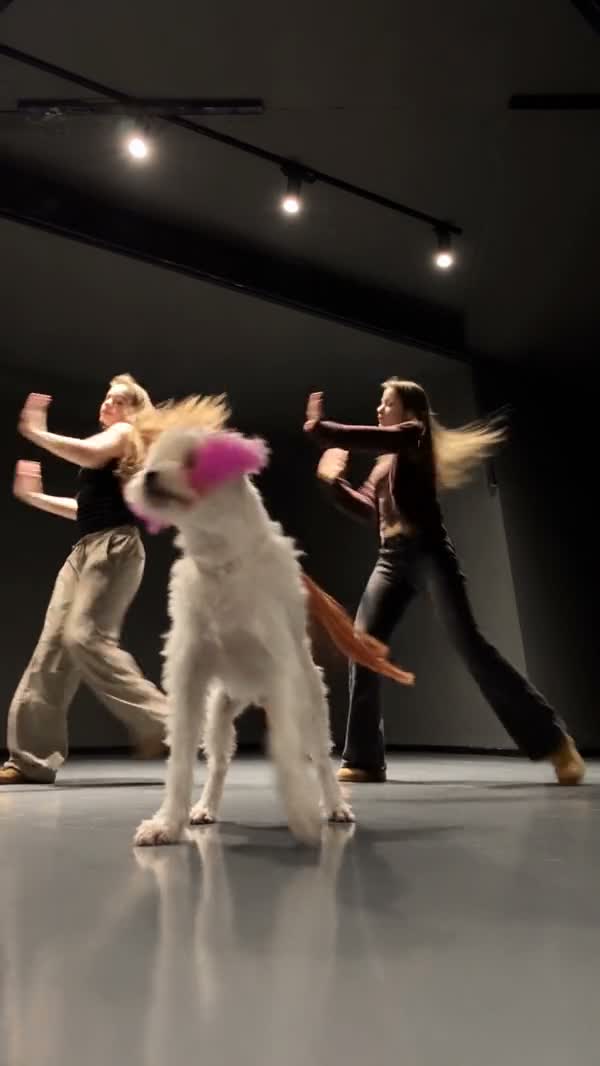
The Single Ladies Dog AI template shows a dog standing in the foreground of a studio performance with two dancers behind it. The contrast between an ordinary pet and the upright choreography is the point of the scene. Your photograph does not need to show the dog dancing or balancing on its hind legs.
Watch the community example for the silhouette: the colored ears, pale coat, and leg outline help the character read as a particular dog while the pose changes. This is useful inspiration for photo selection, not a guarantee that every breed or proportion will follow the same movement cleanly. The loaded tool reference is approximately 19 seconds.
Make the dog easy to recognize before it moves
Let the body shape show
Choose a photo with the head and body visible, plus as much of the legs as practical. A close nose selfie gives very little information about the torso. Keep space around the ears and paws so the edges are not cut off.
Separate the coat from the background
A dark dog against a dark sofa can disappear at the outline. Use lighting that reveals fur boundaries and markings. Avoid intense color filters if the coat color is part of what makes your dog recognizable.
Keep one pet in the image
Use a single dog without another animal overlapping it. A group of pets makes it unclear which face and body belong together. The tool has one Dog photo slot and targets the central character.
Use a comfortable, ordinary pose
You do not need to make your pet perform or dress it to match the dancers. A calm standing or seated photograph can communicate appearance. Choose the clearest image you already have instead of forcing a difficult pose.
For Single Ladies Dog AI, a distinctive marking can be more useful than an accessory. A white chest or dark ear gives you something to follow through the routine. Tiny tags and collar lettering may change in generated frames, so do not make them the only feature carrying your idea.
Create the Single Ladies Dog AI clip
1Open the dog performance
Open Single Ladies Dog AI and look at Original in the preview. Check the standing studio routine before choosing your photo; the general trend name can refer to other pet videos online.
2Upload one dog photo
Choose Dog photo and check the thumbnail. Replace the image if the muzzle is obscured or the body is hard to distinguish. There are no separate uploads for the two dancers in this template.
3Review the generation choices
Settings offers the available resolutions. Timing and framing follow the reference, and prepared instructions are already applied. Read the credit estimate near Generate before submitting. You do not need to upload a song or write dance instructions.
4Generate and watch the whole dance
Sign in when requested, submit the prepared image, and follow the task in My creations. When the video is ready, play it with sound. Inspect the full routine before downloading it for your intended use.
Look beyond the funny opening pose
Paws merge or change shape
Watch the front paws as they cross the chest and move away again. The model has to reconcile canine anatomy with a standing dance pose.
A photograph with more visible limbs may provide clearer information, but this transformation can still produce anatomical errors. Evaluate whether the movement stays readable at normal playback speed.
The dog becomes a different breed halfway through
Compare ear shape, muzzle length, chest markings, and the tail across several moments. A flattering face in the opening frame is not enough to establish continuity.
Prefer a well-lit reference with a clean silhouette if you choose another attempt. Avoid heavy filters or an outfit that hides the natural body shape.
The central character blends into the dancers
Check the outline where paws, ears, and nearby bodies overlap. Keep the complete frame visible while you inspect it.
Do not crop the download so tightly that a temporary overlap becomes the whole picture. The surrounding dancers are part of the prepared scene, not independently editable photo roles.
Single Ladies Dog AI outputs vary. A readable dog reference is a better starting point, but it cannot guarantee natural paws or perfect coat consistency. Review an existing result carefully before deciding whether a different photo is worth another generation.
Keep the photo workflow separate from new dance ideas
For a new character still, you can explore the AI Image generator and inspect the body shape before using it as a reference. For a different movement or your own prompt, choose a supported mode in the AI Video workspace. To make a one-person group-dance adaptation instead, read the Cheba Man AI tutorial.
Single Ladies Dog AI photo questions
Must my dog be standing in the uploaded photo?
No staged dance pose is needed. Use a clear view of the head and body, with visible limbs where possible. The prepared reference supplies the standing routine.
Can I use a cat in Single Ladies Dog AI?
The reference and photo role are designed for a dog. Other species have not been verified for this template, so this guide does not promise equivalent results for cats or other pets.
Can I replace the two backup dancers too?
This tool has one dog role. Its prepared instructions target the central dog while the surrounding dancers stay in the reference scene.
Do I have to find the Single Ladies sound myself?
The performance includes the reference soundtrack. Listen to the completed result with sound before you download it.
Choose a photo that looks unmistakably like your dog
Clear ears, a readable coat, and a visible body give the prepared dance a stronger starting point.
Try Single Ladies Dog AI