
Put your character at the center of a Cheba Man AI dance
Cheba Man AI gives one uploaded character the central dance role while the surrounding performers keep their parts in the scene. A useful reference needs more than a recognizable face: the outfit and body outline must also read during broad arm movements. This guide helps you choose that image, use the Cheba Man AI tool, and review the finished performance.
Create a Cheba Man AI video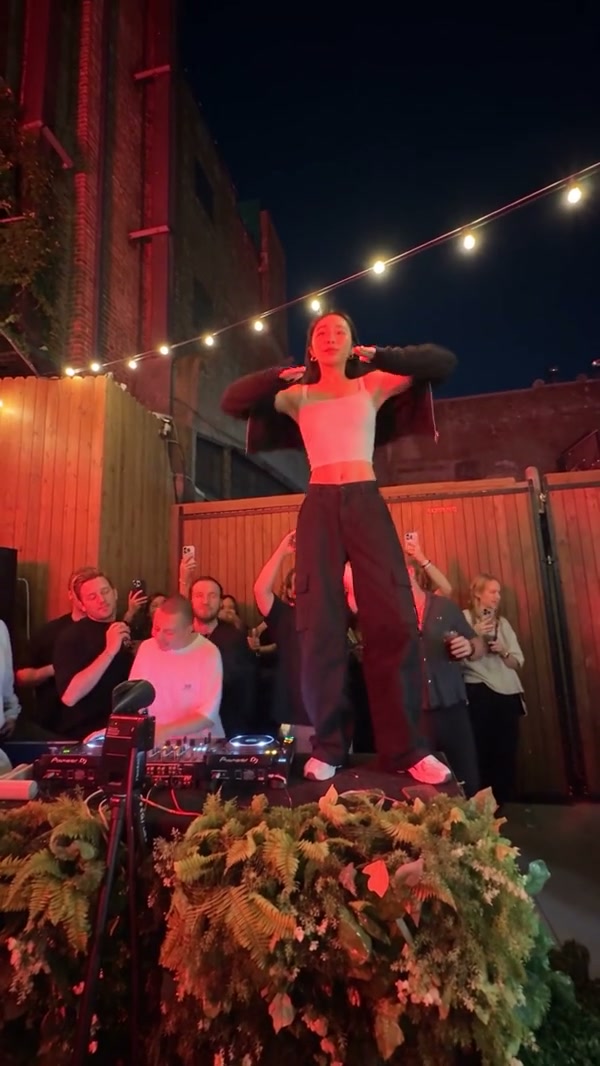
Identify the dancer the tool will replace
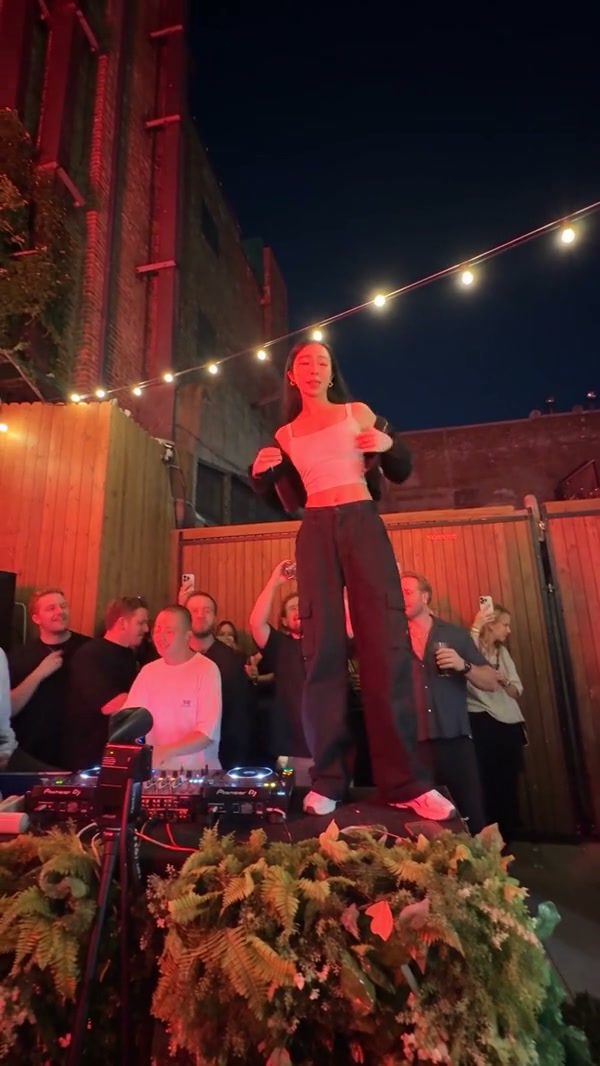
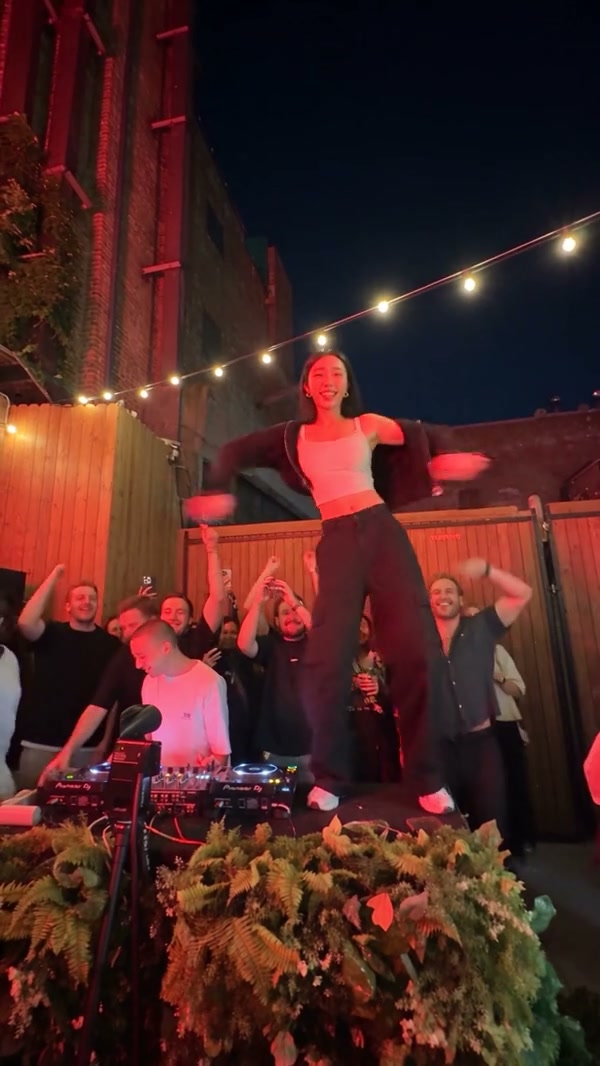
The prepared Cheba Man AI reference is approximately 17 seconds long. A central performer dances above the surrounding crowd under string lights, with gestures and changes of posture carrying the scene. Your photo belongs to that dancer. The people around the performance are part of the reference, not extra upload roles.
The community example here uses a light top against darker clothing. That contrast keeps the torso readable as the arms cross and open. It is an illustration of a casting direction, not a promised output. Preview Original in the generator to see the exact source movement and framing used by your task.
Prepare a Cheba Man AI photo with a readable silhouette
Show the face without losing the outfit
Choose one person with a visible face, hair, build, and clothing. A tiny face in a distant group photograph is difficult to interpret; an extremely tight face crop leaves little information about the body. A clear portrait with the torso visible is a useful starting point.
Keep arms and clothing distinguishable
Avoid a photo where sleeves blend into the background or several people overlap the shoulders. Broad dance gestures create changing gaps around the torso. A clear outline helps you judge whether the character remains coherent through those changes.
Use large visual details
An outfit color or a recognizable hairstyle is easier to follow than tiny text on a shirt. Lettering, jewelry, and small accessories may vary as the generated person turns. Build your idea around details that remain readable at the final video size.
Inspect an invented character first
If you prepare an AI-generated still, check the face, hands, and body proportions before uploading it. An unusual hand or unclear garment in the reference can make the moving result harder to evaluate. The dance step does not serve as a repair tool for every problem in the source image.
You do not need to imitate the routine for the photo. The image supplies appearance, while the loaded performance supplies movement. Keep the photo simple and use an image you have permission to use. The goal is a clear central character, not a collage that asks the model to choose among several people.
Make your Cheba Man AI video
1Open the prepared dance
Go to Cheba Man AI and watch Original. Check the central dancer’s placement, arm movements, and relationship to the crowd before selecting your character.
2Add the central dancer photo
Upload one image to Central dancer photo. Inspect the thumbnail and replace it if the intended person is obscured or the outfit is difficult to see. There are no separate background-person slots on this page.
3Review the available settings
Use Settings to choose an available resolution and read the current credit estimate near Generate. Prepared instructions and the motion reference are already supplied. You do not need to write choreography instructions or provide a music file.
4Generate and review in My creations
Sign in when requested, choose Generate, and follow the task in My creations. Once it is ready, play the whole video with sound. Check the broad gestures and lower-body movement before downloading the version you want to keep.
Judge the dance as a moving character
The face looks right but the body looks unfamiliar
Compare the outfit, shoulder width, and visible body shape against your uploaded photo. The central role carries the whole appearance, not only the face.
For another attempt, choose an image with more of the torso and outfit visible. The model still has to infer hidden areas, so a clear reference improves the starting information without guaranteeing an exact replica.
Hands change when the arms cross
Watch the moment when one arm passes in front of the torso and then moves away. Pause briefly to inspect fingers, sleeves, and the edge of the body.
Distinguish a single awkward frame from a persistent movement problem by watching at normal speed. If the distortion dominates the routine, consider a simpler, less obstructed reference before generating again.
The feet or lower body lose definition
Keep the full frame visible and watch the lower body during changes in stance. Foreground spectators and the performance area can partially obscure it.
Avoid evaluating only a cropped face preview. A usable result needs the whole dance to remain readable. No photo can guarantee perfectly resolved limbs throughout a generated performance.
Also check that the character remains central and that the surrounding scene reads continuously. The template targets the lead while preserving the source roles around them, but generated details can still change. Listen to the finished soundtrack alongside the movement before sharing.
Continue with a different kind of performance
For another one-photo human performance, use the Bulin 47 AI tutorial. For a pet-centered routine, read the Single Ladies Dog AI tutorial. You can prepare a new portrait in AI Image or explore a different supported workflow in AI Video when you want to move beyond the fixed Cheba Man AI scene.
Cheba Man AI preparation questions
How many photos do I upload for Cheba Man AI?
Upload one photo for the central dancer. The surrounding performers do not have separate image slots in this tool.
Should my Cheba Man AI photo show the full outfit?
Show as much useful clothing and body information as practical while keeping the face readable. A face-only crop gives less guidance for the torso and lower body.
Do I need to record myself doing the Cheba Man dance?
No. The prepared video provides the performance. Your still image supplies the character appearance for the central role.
Does Cheba Man AI keep the reference audio?
The generation workflow adds the reference soundtrack to the finished performance. Play the result with sound and review the full dance before downloading it.
Choose one character with a clear face and outfit
Keep the photo readable, let the reference supply the routine, and check the whole performance before you share it.
Create a Cheba Man AI video