Skip to content

Cheba Man AI Video Generator

Create a Cheba Man AI dance video from one photo. Recast the central dancer while following the loaded group performance and its original sound.

Create a video

Cheba Man AI17s · Original soundtrack
Central dancer photo
Cheba Man AI reference performance

One new dancer at the heart of Cheba Man AI

Cheba Man AI places the appearance from your photo into the central dance role of the loaded clip. The group, movement and camera already exist in the reference, giving your character a complete scene to join. You supply one person’s look rather than recording a new dance or choosing every supporting performer. The edit aims to preserve the people around the lead, though close movement and overlapping bodies can still produce mistakes. Preview the performance to decide whether its energy fits the character you want to bring into it.

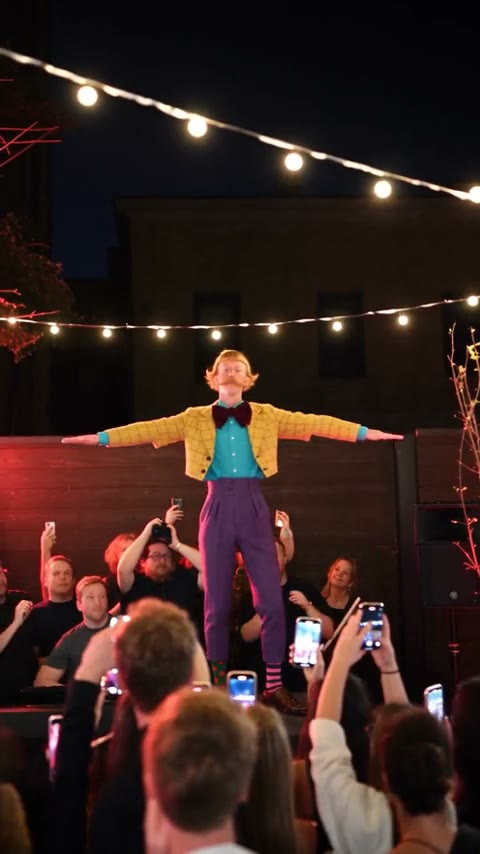
Community Cheba Man dancer in a yellow jacket and purple trousers above the crowd

Create a Cheba Man AI dance from one photo

  1. 01

    Choose your Cheba Man AI character

    Upload one image with a clear face, visible hairstyle and useful clothing detail. A picture showing the upper body helps define the central dancer’s look. Avoid a group photo that makes it unclear which person should take the lead.

  2. 02

    Review the prepared performance

    Watch the reference and open Settings to inspect resolution or optional prompt controls. Cheba Man AI starts with the role and movement instructions prepared. Check the current credit estimate, sign in and generate when the image is ready.

  3. 03

    Watch and keep the finished dance

    Find your completed Cheba Man AI video in My creations. Review the lead, the surrounding people and the original sound throughout the clip. Download a result you are happy with, or return to it later through video history.

Explore the Cheba Man AI performance

The central Cheba Man AI role

Cheba Man AI has one replacement target: the central dancer. Your photo tells the edit who should occupy that role, while the other performers remain part of the reference scene. You do not have to upload background portraits or decide which friend belongs in every position around the lead.

That focus makes a clear photo especially valuable. Choose the person you actually want viewers to recognize, with no competing faces in the frame. Cheba Man AI is designed to reinterpret that appearance within the dance. A collage or a portrait of several people introduces uncertainty without adding extra supported casting roles.

Bring your outfit into Cheba Man AI

The character’s appearance includes more than the face. Cheba Man AI can use visible hair, build, clothes and accessories from the reference photo. If a particular jacket or shirt is part of your idea, show it clearly in the upload instead of providing a crop that ends at the chin.

The model still has to infer details that the picture does not show. Cheba Man AI may simplify small patterns, change jewelry or invent the hidden side of an outfit during a turn. For a first attempt, favor a readable silhouette and clear color blocks. Those features are easier to recognize throughout a moving scene than tiny lettering.

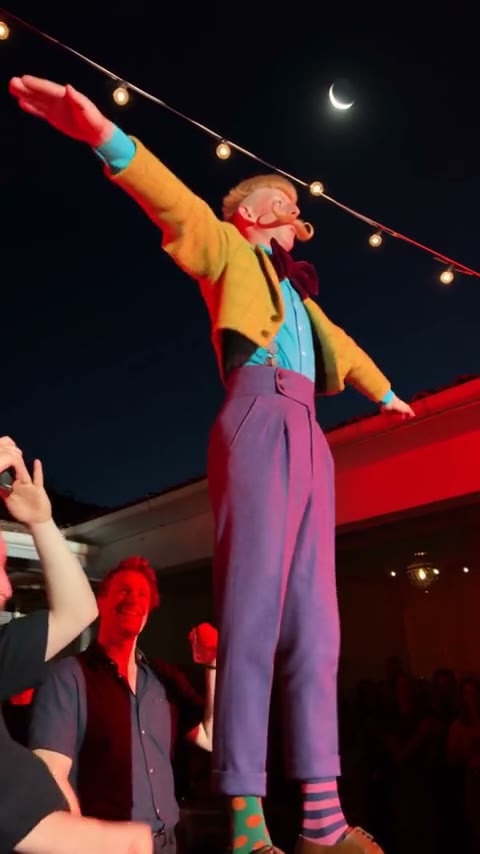
Closer community view of the colorful stage dancer beneath string lights

Use the group’s energy without staging a shoot

Cheba Man AI borrows an existing group performance, including the central dancer’s gestures, changes of posture and relationship to nearby people. Your still photo supplies appearance rather than choreography, so you do not need to rehearse the movement or organize a group to recreate it.

This can be useful for a playful character introduction or an outfit experiment with a lively setting. Cheba Man AI follows the loaded routine rather than inventing another dance. If you want a new camera plan, a different location or a longer story, use the AI Video Generator to develop that separate concept with an appropriate model and prompt.

Keep an eye on the surrounding performers

The prepared Cheba Man AI instructions focus the replacement on the lead and ask the edit to retain the surrounding people in their existing roles. Their positions and movement help the generated character feel part of the same event instead of appearing in an isolated portrait animation.

Close interactions are also a place where mistakes can occur. In a Cheba Man AI result, look for a nearby face changing when it passes the lead, hands merging at an overlap, or a body changing shape between frames. Review the supporting cast throughout the sequence. An attractive central character is only one part of a convincing group scene.

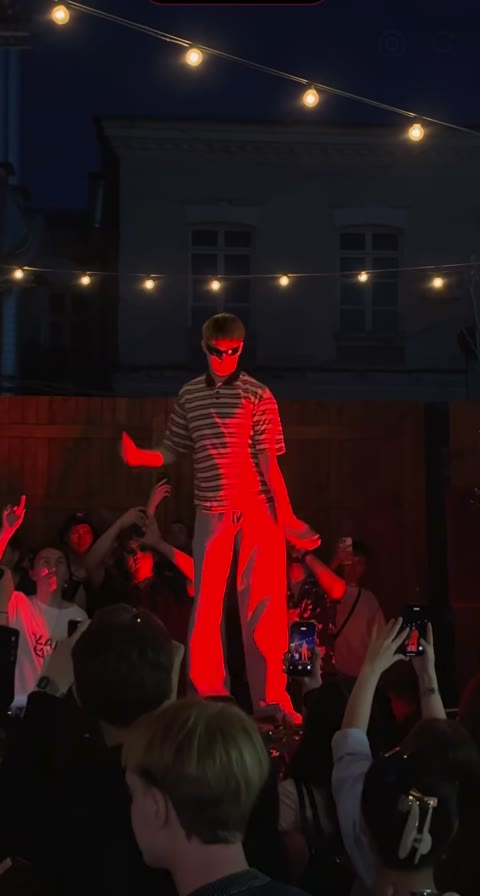
Community stage performance with surrounding spectators and raised phones

Start from a photo with useful visual evidence

For Cheba Man AI, a sharp, evenly lit image is usually a more practical reference than a heavily filtered or motion-blurred shot. Make sure the face is visible at a reasonable size and that important features are not covered by another person, an object or a deep shadow.

Do not crop so tightly that the intended outfit disappears. You can prepare an alternative portrait in the AI Image Generator, but inspect it before using it for Cheba Man AI. A cleaner image should still represent the person or character you intended. Changes introduced while preparing the portrait can carry into the later video.

The original Cheba Man AI soundtrack

Cheba Man AI retains the original sound from the loaded reference in the completed edit. There is no separate track to choose or upload for this workflow. The source determines the performance timing, and its audio accompanies the result so that the scene keeps its familiar rhythm.

This does not create a new voice recording for the person in your photo. Cheba Man AI also does not grant rights to distribute the footage or sound. Listen to the complete downloaded video when reviewing it, and check the permissions relevant to your use before posting it publicly, using it in a campaign or sending it to a client.

Central dancer in the Cheba Man source performance

Cheba Man AI character ideas

Cheba Man AI can support a personal dance remix, a consenting friend’s playful introduction or an authorized fictional-character concept. Decide which aspect you want to explore before you generate: recognizable identity, a particular costume, or the contrast between a new lead and the established group.

A focused goal makes it easier to judge the output and decide whether another attempt is worthwhile. If the outfit is wrong, revise the source image; if the face is weak, choose a clearer portrait. Cheba Man AI creates a separate interpretation on each request, so avoid assuming that repeated identical submissions will correct a specific problem automatically.

Review the full result before making another request

Cheba Man AI uses a prepared video-editing model and prompt, with available resolution choices under Settings. The source supplies the clip’s length and framing. Start with the default instructions unless you have a limited change that fits the central-character assignment and the fixed performance.

After generation, watch the opening, the busiest group interactions and the final movement. A higher resolution will not necessarily repair identity drift or missing photo information. Before another Cheba Man AI request, identify the issue and choose an input change that addresses it. Saved videos remain available through your creations and history, so reopening a result does not require generating it again.

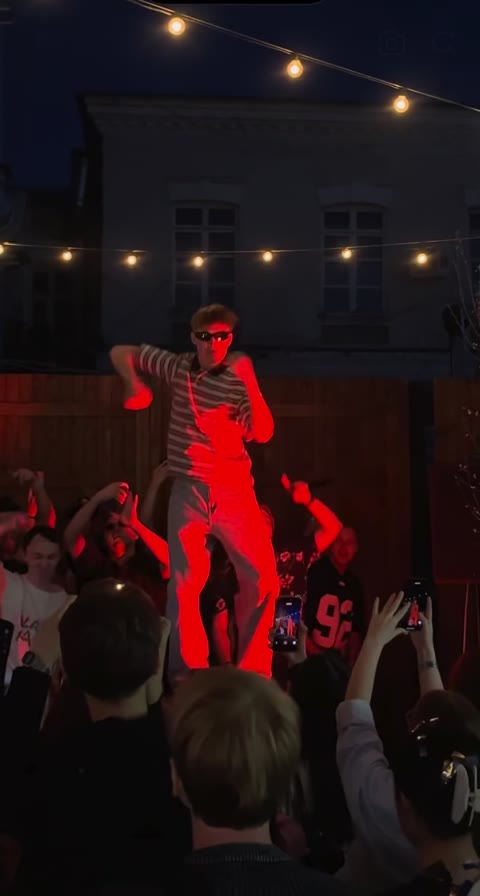
Yellow-jacket community character with full-body stage framing

Cheba Man AI: your questions answered

What does Cheba Man AI change?

The tool replaces the central dancer’s visual appearance using your single uploaded person image. The loaded video provides the group, choreography and camera. Other performers are meant to remain in their reference roles, although generative edits can still introduce unintended changes.

How many photos does Cheba Man AI require?

One photo is required for the central dancer. There are no separate background casting slots on this page. Choose a single clear intended person rather than a group portrait or a collage, which would make the appearance reference harder to interpret.

Does Cheba Man AI replace the whole character?

The reference supplies the intended face, hair, clothing and visible build, not only an isolated face. Show the parts of the appearance you want reproduced. Hidden areas must be inferred, and fine accessories or clothing patterns can vary during motion.

Can I upload a character illustration to Cheba Man AI?

You may use an image you have permission to edit, including an authorized character concept. The reference performance is based on human movement, so unusual proportions or highly stylized anatomy can produce unpredictable results. Review the completed clip rather than relying on the input image alone.

Do I need to film myself dancing?

No. The loaded reference already contains the performance. Your upload is a still appearance reference, and it does not need to match the original dance pose. Focus on a clear face and enough visible body and outfit detail to define the character.

Does Cheba Man AI include the original sound?

Yes, the result uses the sound from the loaded reference. A separate audio file is not required. This feature does not establish rights to publish the soundtrack, so make sure your intended distribution is compatible with the permissions you have.

How long is the Cheba Man AI result?

The video follows the approximately 17-second vertical reference. There is no separate duration selector for adding more choreography. Preview the source to check its pacing and framing before uploading, and watch the finished file from beginning to end.

Can I customize the Cheba Man AI prompt?

An optional custom-prompt control is available in Settings. The default already defines the central replacement and the surrounding people to retain. If you edit it, preserve that role distinction and avoid requesting a completely new scene within the fixed template.

Is Cheba Man AI generation free?

Generating a video requires an account with enough credits for the displayed estimate. You can prepare your photo and inspect the reference before submitting. Use the estimate for this specific request and consult Pricing for current plan and credit options.

Where can I download my Cheba Man AI video?

Open a completed result in My creations or your video history, review it and use its download action. While a job is processing, follow the displayed status. Check the lead, neighboring faces, overlapping hands and sound before sharing the finished performance.

Make the Cheba Man AI lead your own

Choose one clear character reference and bring its appearance into the group dance. Your prepared performance is ready; review the settings and estimate before you create.

Try Cheba Man AI