Skip to content

Gas Station Dance AI Video Generator

Create a Gas Station Dance AI video with three character photos. Recast the opening dancer, selfie operator and car-side performer with the original sound.

Create a video

Gas Station Dance AI18s · Original soundtrack
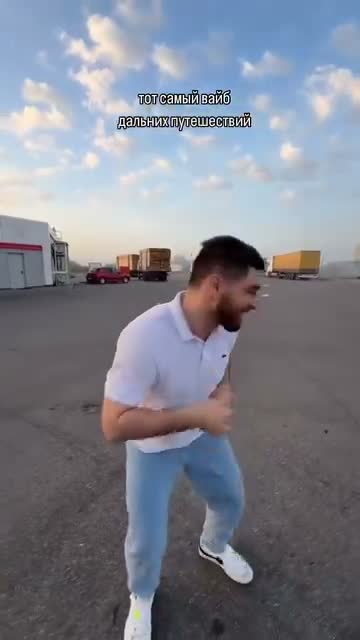
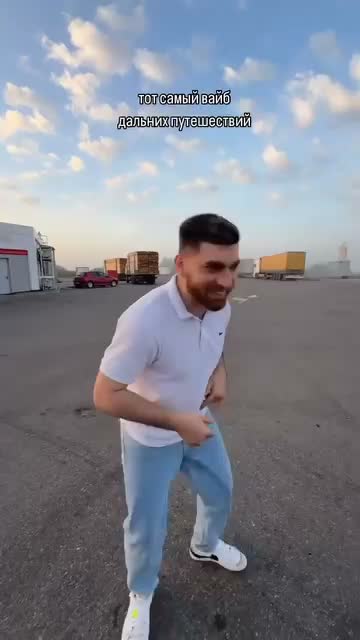
Opening dancer · 1
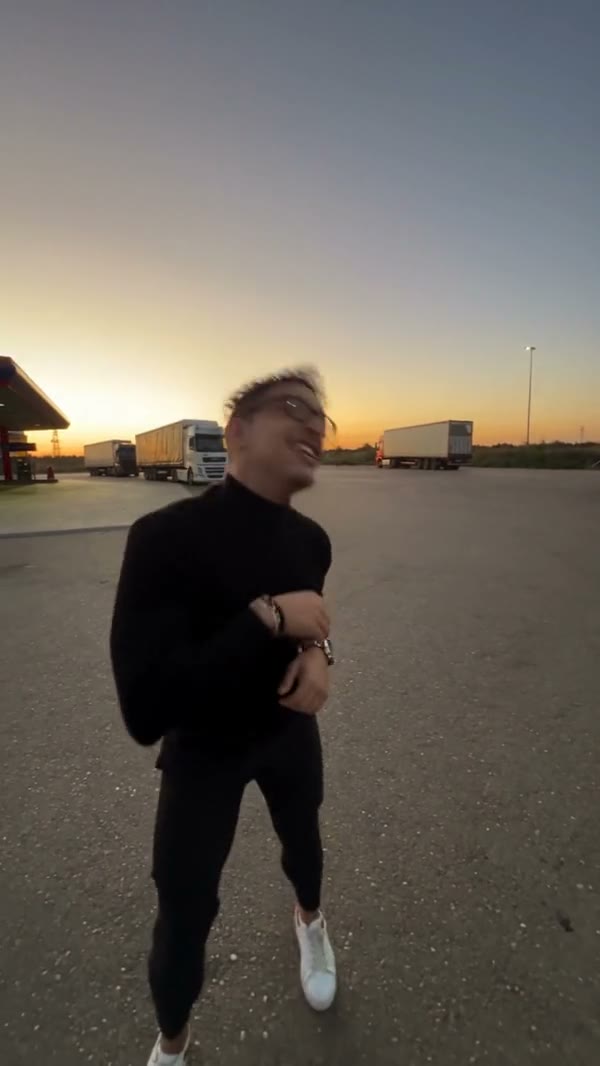
Selfie operator · 2
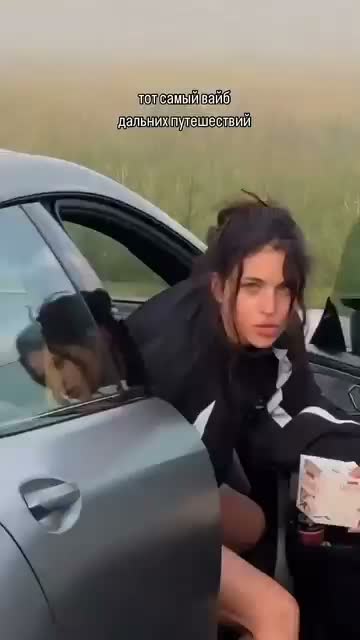
Car-side performer · 3
Gas Station Dance AI reference performance

Three roles make one Gas Station Dance AI story

Gas Station Dance AI moves through a short forecourt performance with three distinct character assignments. The first photo becomes the opening dancer, the second becomes the selfie camera operator, and the third becomes the performer beside the car. The operator returns at the end, so the same second image covers both appearances. You choose the cast while the loaded reference carries the action and camera sequence. Preview it before uploading to see how the roles connect and which person belongs in each slot.

Community gas-station sequence featuring three characters in dark outfits

Create your Gas Station Dance AI cast

  1. 01

    Cast your Gas Station Dance AI scene

    Choose three clear character photos and add them in the labeled order. Use a separate intended identity for each role. Keep faces, hairstyles and outfits readable so the edit has a useful appearance reference for every part of the sequence.

  2. 02

    Check roles, resolution and the estimate

    Watch the reference again after assigning your photos. Gas Station Dance AI already has a prepared prompt and selected model. Open Settings to inspect resolution and optional prompt controls, then check the credit estimate before generating.

  3. 03

    Follow all three characters in the result

    Open your completed Gas Station Dance AI clip in My creations. Check the opening dancer, the selfie, the person beside the car and the operator’s return. Listen to the retained sound and download the version whose full sequence you want to keep.

Design a Gas Station Dance AI performance

Cast the opening Gas Station Dance AI dancer

Photo 1 sets the appearance of the character who starts the clip. Gas Station Dance AI relies on that reference for visible facial features, hair, build and clothing while the loaded footage supplies the movement. A clearly framed person with a readable outfit makes the intended transformation easier to assess.

Think about the first impression you want: a casual look, a coordinated costume or a distinct fictional character. Gas Station Dance AI does not need a picture of someone copying the original dance. A sharp portrait with enough body context is more useful than a blurred action photo that happens to match one pose but hides the face.
The returning Gas Station Dance AI selfie role

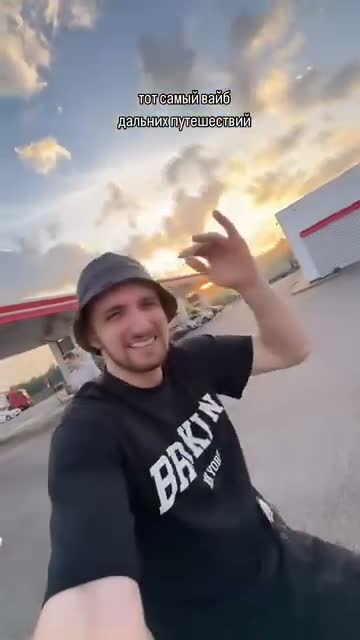
Photo 2 has a special job in Gas Station Dance AI. It identifies the camera operator during the selfie moment and again when that person returns near the end. Those appearances belong to one character, so there is no fourth photo slot for the closing shot.

Choose a reference with distinctive, visible features that you can recognize in both views. When reviewing Gas Station Dance AI, compare the face, hair and clothing across the two appearances. A result can look plausible in each shot separately while still changing the operator's identity between them. That continuity check is part of evaluating the complete scene.

Opening dancer in the reference sequence
Selfie camera operator in the reference sequence

Make the car-side role its own character

Photo 3 supplies the performer beside the car. Gas Station Dance AI treats this as a separate role from the opening dancer and the selfie operator. Use an image with one clear intended subject instead of hoping the model will select the correct face from a group picture.

Different appearances can help you follow the cast as the camera changes its attention. Gas Station Dance AI does not require matching outfits, and you can explore contrast between the roles. Keep the photos clear and the assignments deliberate. A collage of three people in the first slot will not substitute for the three labeled reference images.

The moving camera connects the performances

Gas Station Dance AI is built around the source sequence, including how the camera moves from one role to another. You do not have to film those transitions yourself. The reference provides the shot timing, actions and changes of view, while your photos define the replacement appearances.

This makes the template useful when the roaming forecourt scene is what you want to recreate. Gas Station Dance AI is less suited to an idea that needs a new location or a different sequence of shots. Asking a custom prompt to rebuild the whole story can conflict with the prepared character assignments and weaken the continuity that connects them.

Third performer beside the car

Turn three portraits into a shared joke or concept

Gas Station Dance AI can bring a small cast into one recognizable performance without coordinating a shoot. Use images of yourself and consenting friends, or authorized fictional characters, to explore a playful group introduction, an outfit combination or a reaction clip for a private conversation.

Choose a visual idea that works across all three roles. Gas Station Dance AI offers separate assignments, but every character still occupies the same source scene. A coherent set of portraits can make the result easier to read. Highly different illustration styles or extreme body proportions may be interpreted unevenly, so judge the final movement and interactions before sharing.

Gas Station Dance AI with original sound

The audio from the loaded reference accompanies the finished Gas Station Dance AI result. It helps connect the opening action, selfie moment and car-side performance without a separate soundtrack upload. The video model edits the picture while the reference supplies the sound associated with this sequence.

This does not create new speech in your characters' voices. Gas Station Dance AI follows the source performance, and precise mouth synchronization is not guaranteed. Listen to the downloaded file as part of your review. You are responsible for having appropriate permissions for the portraits and for any footage or audio you intend to distribute.

Moving camera connecting the opening dancer, selfie operator and car performer

Improve the weakest reference first

Because Gas Station Dance AI uses three images, an unclear reference can make one role noticeably weaker than the others. Check each file for face visibility, sharpness and outfit information before submitting. A strong Photo 1 does not compensate for a dark or heavily obstructed Photo 2.

After an attempt, identify the role that needs attention. A better photo may be more useful than raising resolution or rewriting the whole prompt. Gas Station Dance AI keeps the same assignments across requests, which lets you replace the relevant input and compare the change. Each new generation is a separate request, so use the estimate to decide whether another attempt fits your budget.

Gas Station Dance AI settings

Gas Station Dance AI starts with a model and prompt prepared for the reference. Settings exposes the available resolution options and an optional custom-prompt field. Leave the default prompt in place if your goal is simply to cast three different people into the existing action.

If you do make an adjustment, preserve Photo 1 for the opening dancer, Photo 2 for the operator in both appearances, and Photo 3 for the car-side performer. Gas Station Dance AI does not have a separate duration control; the loaded sequence determines the length. Review both the roles and the current credit estimate before selecting Generate.

Dark-outfit opening dancer in the community gas-station example

Gas Station Dance AI: your questions answered

How many photos does Gas Station Dance AI need?

Three separate images are required, one for each labeled character role. The source performance is already loaded. Do not combine all three people into one collage: the form uses the upload order to establish which appearance belongs to which part of the scene.

What is the Gas Station Dance AI photo order?

Photo 1 is the opening dancer. Photo 2 is the selfie camera operator, including the same person’s return near the end. Photo 3 is the performer beside the car. Check the labels before generating, especially after replacing a reference.

Why does Gas Station Dance AI reuse the second photo?

The source returns to the camera operator later in the sequence. Both appearances should belong to the same character. The second photo supplies that identity throughout, so you do not need another image for the closing view or a different version of the operator.

Can I use the same person for all three roles?

The prepared workflow is designed around three distinct identities. Reusing one face for every slot makes the role separation less meaningful and can be harder to evaluate. For the intended casting setup, choose three clearly identifiable references and keep them in the specified order.

Can Gas Station Dance AI replace the location?

The fixed reference supplies the forecourt, car, camera action and sequence. This tool focuses on replacing the three character appearances. If a different setting is central to your idea, create a separate scene in the AI Video Generator instead of relying on this preset.

Does Gas Station Dance AI keep the original sound?

Yes, the completed edit includes audio from the reference. A separate music file is not required. It does not synthesize a new voice for the uploaded people or grant rights to publish the soundtrack, so check permissions for your intended use.

How long is a Gas Station Dance AI video?

The result follows the approximately 18-second vertical reference. The opening, selfie and later views remain part of that sequence. There is no duration picker for adding more scenes, so review the source first to make sure its pacing suits your idea.

Do I need to write a Gas Station Dance AI prompt?

No, a prepared prompt already assigns the three images to their roles. Settings allows a custom prompt if needed. Keep the assignments and the repeated operator identity clear, and avoid combining a casting request with an unrelated change to the whole choreography.

How do I check Gas Station Dance AI pricing?

The Generate control shows the estimate for your current request. Sign in and make sure the account has enough credits before submitting. Plan examples may refer to shorter videos or other models, so use this estimate for the actual performance you are creating.

Where is my completed Gas Station Dance AI video?

Look in My creations or video history, then open the finished result to preview and download it. Follow the task status while it processes. Check all role transitions, the returning operator and the sound before deciding that the complete clip is ready to share.

Cast your next Gas Station Dance AI video

Choose three appearances, match them to the labeled roles and follow the camera through the scene. Your source performance is ready when your cast is.

Try Gas Station Dance AI