Skip to content

Goodbye GTA 5 Highway AI Video Generator

Guide the convertible driver with one photo in a Goodbye GTA 5 Highway AI farewell.

Motion studio

Create a video

Generation mode

Full reference · 27s

Driver

Make a Goodbye GTA 5 Highway AI story

Goodbye GTA 5 Highway AI is a fictional photo-to-video scene with a prepared performance. Your image guides the driver, while the supplied reference provides the location, movement and shot order. Use it as a fictional road-trip goodbye or a game-inspired memory clip.

The reference gives you a way to preview the idea before committing to an input. The result is newly generated and can change details of the face, outfit or surroundings. Watch your finished video to decide whether it works for the story you want to tell.

Goodbye GTA 5 Highway AI scene

How to make Goodbye GTA 5 Highway AI

  1. 01

    Add the driver

    Choose one authorized photo and place it in the labeled slot. A clear, recognizable subject gives the model a useful visual reference.

  2. 02

    Compare the modes

    Review the available lengths and the current credit estimate. Economy and Standard use a prepared short section; Original follows the complete scene.

  3. 03

    Create and review

    Sign in to submit the task. When it completes, open My creations, play through the video with sound and download the result if it suits your edit.

Plan your Goodbye GTA 5 Highway AI video

Read the Goodbye GTA 5 Highway AI sequence

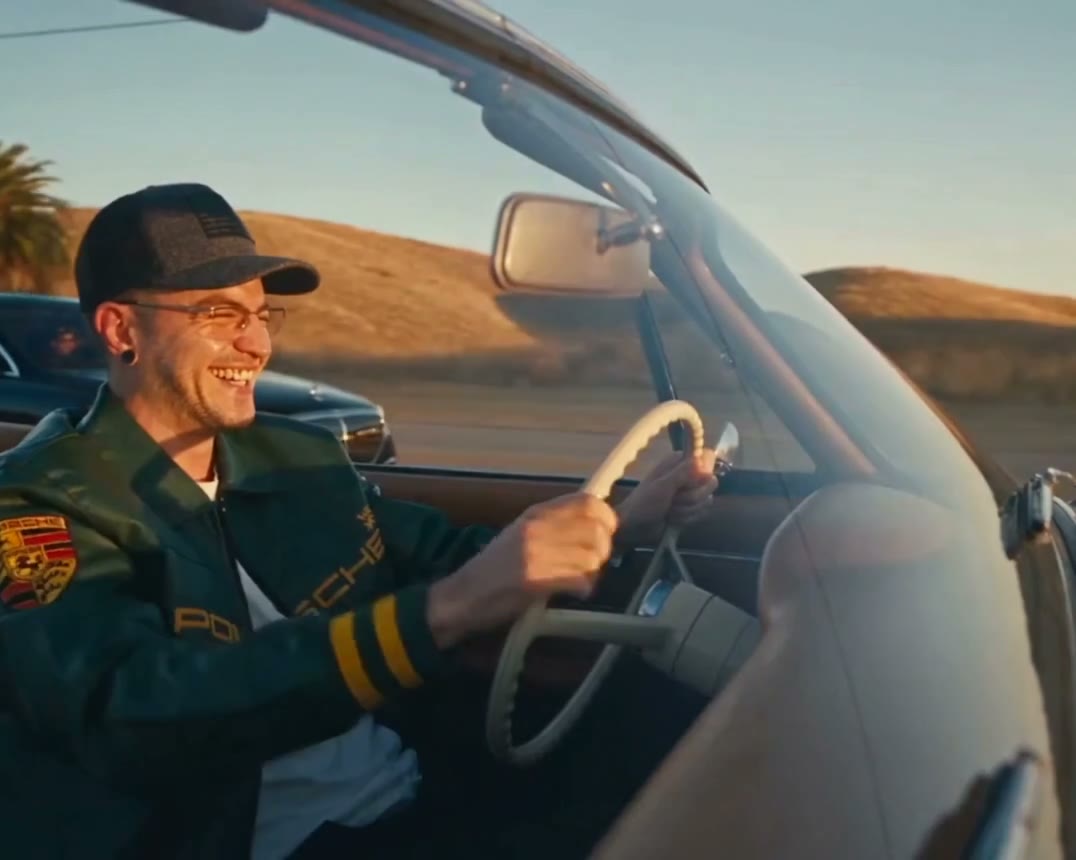
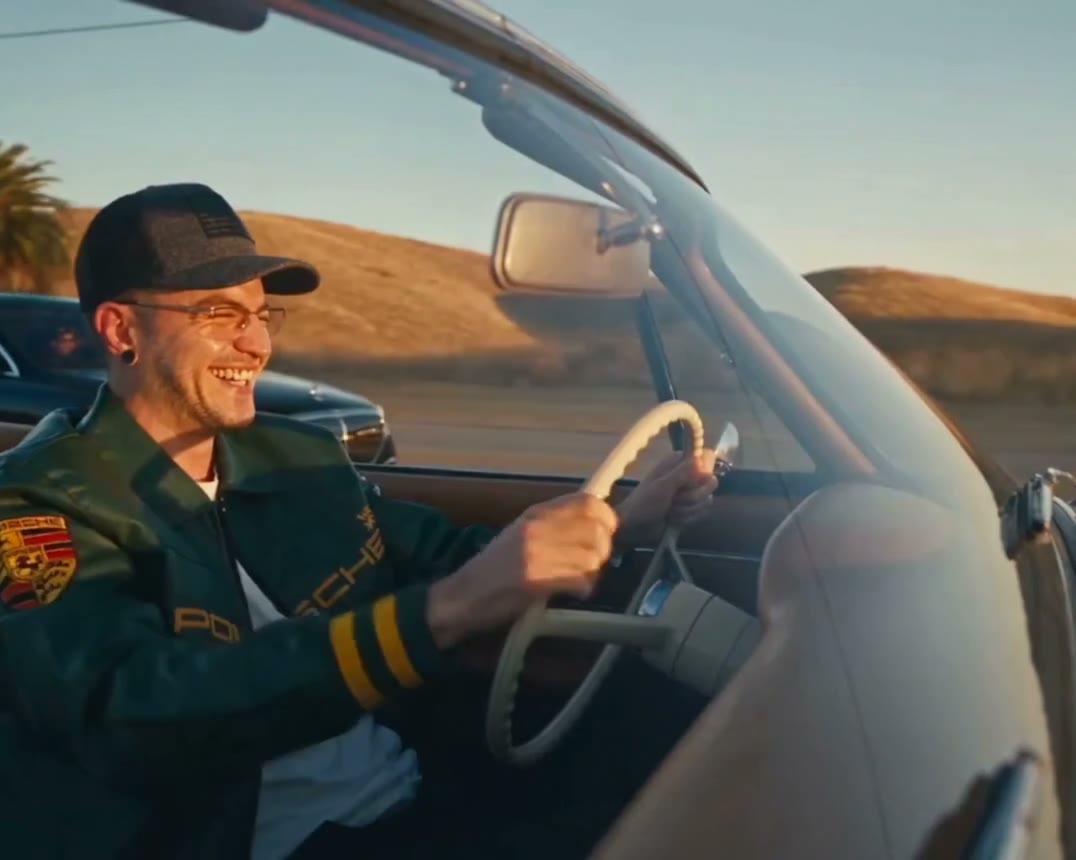
Before creating Goodbye GTA 5 Highway AI, watch how the reference moves between actions. A white convertible travels with other motorists and a rider as they exchange waves. The complete scene ends with a wide view of the car continuing along a desert highway. Those beats are prepared in advance, including the positions and the camera changes.

The page offers one person-photo input and a choice of mode. It does not provide a frame-by-frame timeline or a separate control to change the reference location. Pick this scene when its existing action supports the result you have in mind.

Choose a Goodbye GTA 5 Highway AI image

For Goodbye GTA 5 Highway AI, choose one well-lit portrait with a recognizable face, visible hair and some upper-body detail. Keep the subject easy to identify and choose a picture with sufficient light. A single-person image gives a clearer assignment than a collage or a crowded group photograph.

Your image guides the white-convertible driver. The other drivers and the motorcyclist are part of the fixed performance. The picture guides that person’s appearance, including visible hair and clothing. Details can change during motion, especially when the subject turns, becomes small in the frame or passes behind an object.

Goodbye GTA 5 Highway AI highlight

Select the Goodbye GTA 5 Highway AI duration

The trimmed source is about 26.5 seconds long. The short modes use its opening; the last drive-away is later. In Goodbye GTA 5 Highway AI, the two short modes share a prepared selection with different generation settings. Original uses the full reference. Consider the moment you want to keep before choosing a length.

The estimate shown in the workspace applies to the selected mode and settings. Check that value before submitting, and allow for small variations in the generated output. If the ending is important to your edit, watch the reference through the end before deciding.

What stays fixed in Goodbye GTA 5 Highway AI

The convertible, nearby vehicles, rider, sunset road and camera changes are supplied by the reference. The Goodbye GTA 5 Highway AI photo slot is assigned to the driver; other parts of the composition are guided by the source instead of separate uploaded images. The model may still reinterpret props or expressions.

A fixed reference can make a recognizable starting point, but it does not guarantee the same output on every run. If you need a different scene or custom movement, use an appropriate workspace with your own authorized reference material.

Goodbye GTA 5 Highway AI scene still

Review your Goodbye GTA 5 Highway AI result

Watch the driver as the camera changes and inspect the waving hands and vehicle details between shots. Watch your Goodbye GTA 5 Highway AI video from start to finish and examine the points where the camera changes or hands interact with objects. Compare the person’s face, hair and clothing with the photo you supplied.

The delivery path is configured to restore reference audio. Listen to the completed file before arranging other audio around it. Check your permission to use the input image and the soundtrack for the destination where the final edit will be shared. Choose the separate airport scene for a terminal departure rather than expecting this road reference to change location.

Plan a use for Goodbye GTA 5 Highway AI

For Goodbye GTA 5 Highway AI, think of the road sequence as a prepared farewell rather than a free-form driving simulator. The convertible, surrounding travelers and changing views establish a particular composition. It can anchor a fictional road-trip ending or provide a transition into another memory-themed clip.

When preparing Goodbye GTA 5 Highway AI, use a clear person photo for the convertible driver and follow that role through the cuts. The other motorists and the rider remain in the prepared scene. Visible facial features, hair and clothing can help guide the output, while distant shots and moving hands are worth checking for changes.

For the final Goodbye GTA 5 Highway AI edit, compare the opening road exchange with the full trimmed sequence before selecting a mode. The final wide drive-away appears later, so choose Original when that ending matters. Once the task is complete, review the vehicle, gestures and sound across the whole file before using a separate editor for any additional cuts. The scene already supplies the cars and surrounding road; there is no car-photo field on this page. If a different vehicle is central to your idea, select a workspace that explicitly offers that input.

Before sharing Goodbye GTA 5 Highway AI, check the entire exported file in the context where it will appear. A clip viewed on a small phone screen can make faces and on-screen text harder to read. Leave enough time to compare the final version with your reference and verify that the people, source media and audio can be used for your intended audience.

Goodbye GTA 5 Highway AI scene

Goodbye GTA 5 Highway AI questions

What does Goodbye GTA 5 Highway AI need?

Upload one authorized person photo for the driver. The preset already includes its motion reference, so a second video upload is not required for this scene.

Who is replaced in Goodbye GTA 5 Highway AI?

Your image guides the white-convertible driver. The other drivers and the motorcyclist are part of the fixed performance.

What is included in a short Goodbye GTA 5 Highway AI clip?

The prepared short reference follows approximately the first 15 seconds of the road exchange. Economy and Standard use the prepared selection with their respective settings.

What does Goodbye GTA 5 Highway AI Original include?

Original includes the complete trimmed highway sequence and the final wide shot. The workspace rounds its duration and generated output can vary slightly.

Can I change the setting in Goodbye GTA 5 Highway AI?

The scene follows a prepared reference; this page does not provide controls to select a different location or individual background props.

Can Goodbye GTA 5 Highway AI use more than one person photo?

The preset has one required photo role for the driver. Other people and objects visible in the prepared scene do not have separate upload fields here.

Will Goodbye GTA 5 Highway AI preserve every facial detail?

The photo guides the subject, but a generated face, outfit or hands can vary as the scene moves. Use a clear source and inspect the whole result rather than relying on a still frame.

Does Goodbye GTA 5 Highway AI include sound?

The source has audio and delivery is configured to restore the selected reference track. Listen to the completed video and check the rights relevant to your intended use.

How can I improve Goodbye GTA 5 Highway AI?

Try a sharper image with one visible subject, confirm the role and choose a mode that includes the moment you need. Additional attempts use credits and can still vary.

Does Goodbye GTA 5 Highway AI require credits?

Generation requires an account and available credits. Review the estimate shown for the current mode and settings before submitting.

Is Goodbye GTA 5 Highway AI an official game?

It is an independent fictional AI video effect. It is not a playable game or an official game-publisher product.

Where can I find my Goodbye GTA 5 Highway AI video?

Open My creations to see task status. Once finished, play the full output with sound and use the download control after reviewing it.

Make Goodbye GTA 5 Highway AI

Choose a photo and review the mode before creating.

Create a video