Skip to content

Car Jump AI Video Generator

Bring a person and a vehicle into the fixed jump. The chair, the raised hand, and the path overhead stay, while your two photos decide who sits and which vehicle clears them.

Create a video

Person · Photo 1
Vehicle · Photo 2

One chair, one jump, two photos

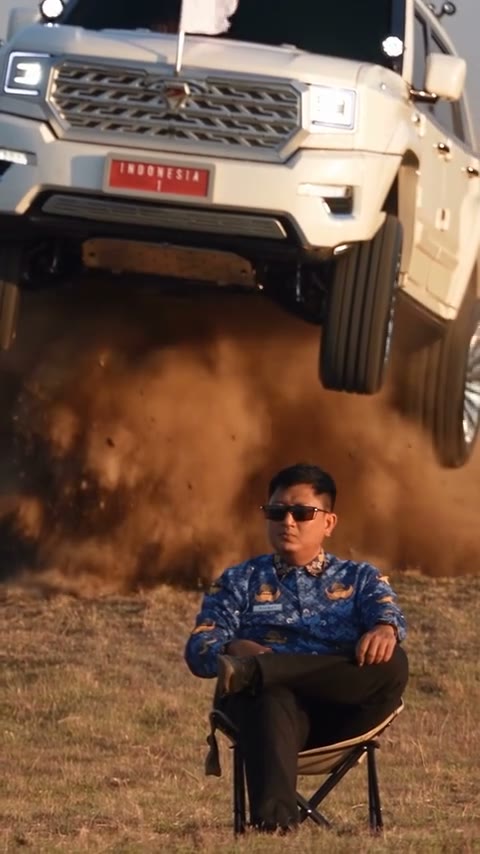
The scene is already staged on dry grass: a folding chair in the foreground, a person who stays seated, and a vehicle that jumps through the dust behind them. Car Jump AI uses Photo 1 for that seated person, including the moment one hand rises, and Photo 2 for the vehicle overhead. You are not filming a new stunt or choosing a new field. The loaded performance supplies the timing, the chair, and the jump. Your photos supply the person and the vehicle.

Preview of the seated person and the vehicle clearing the chair

Cast the chair and the vehicle

  1. 01

    Add the seated person first

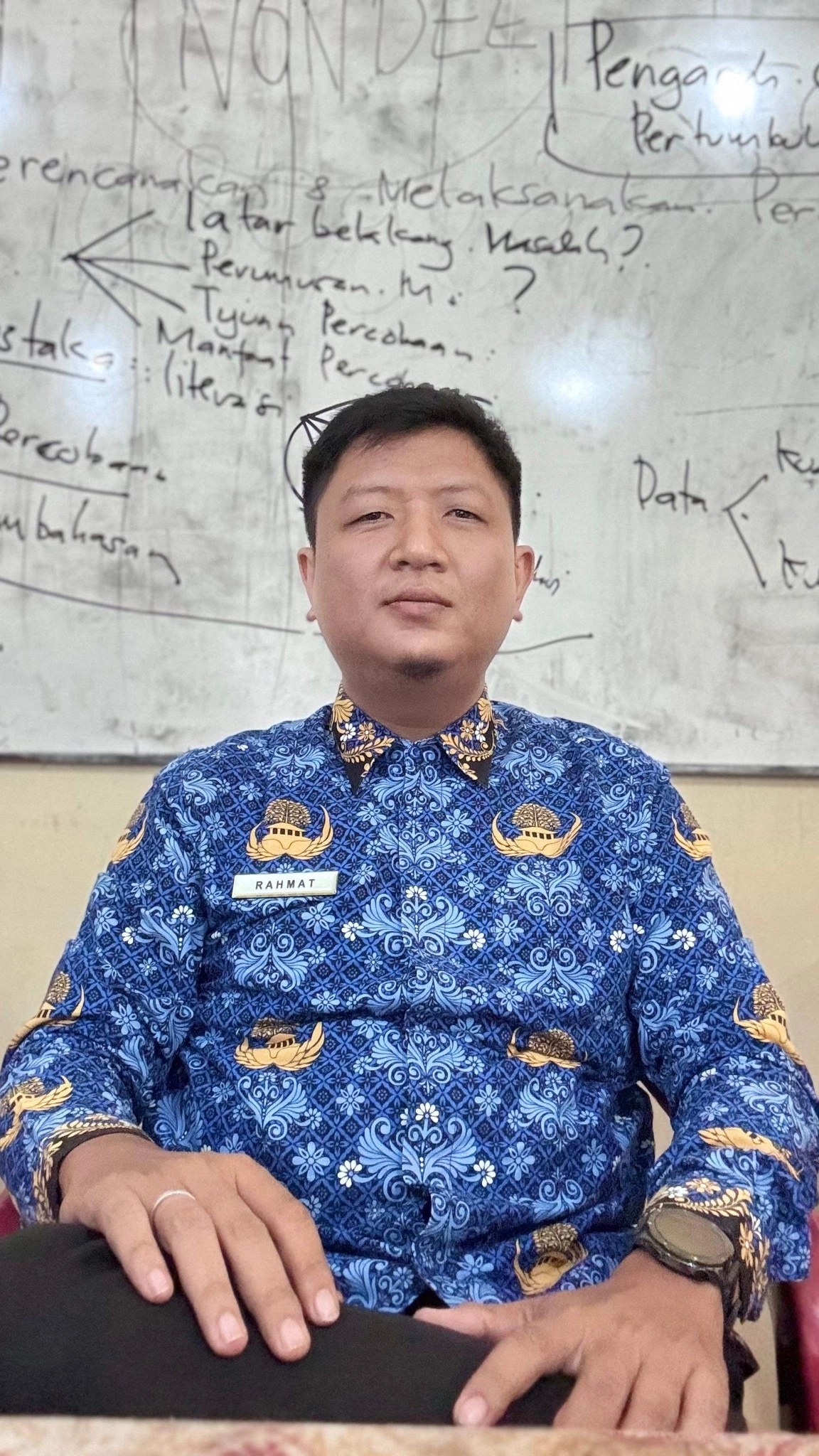
    Photo 1 replaces the person in the folding chair, including the raised hand. Use one person, with the face, hair, and outfit readable. A portrait or a seated picture can both work. You do not need a photo that already copies the field, the chair, or the lifted arm. Permission is required for the person you upload.

  2. 02

    Add the vehicle that jumps

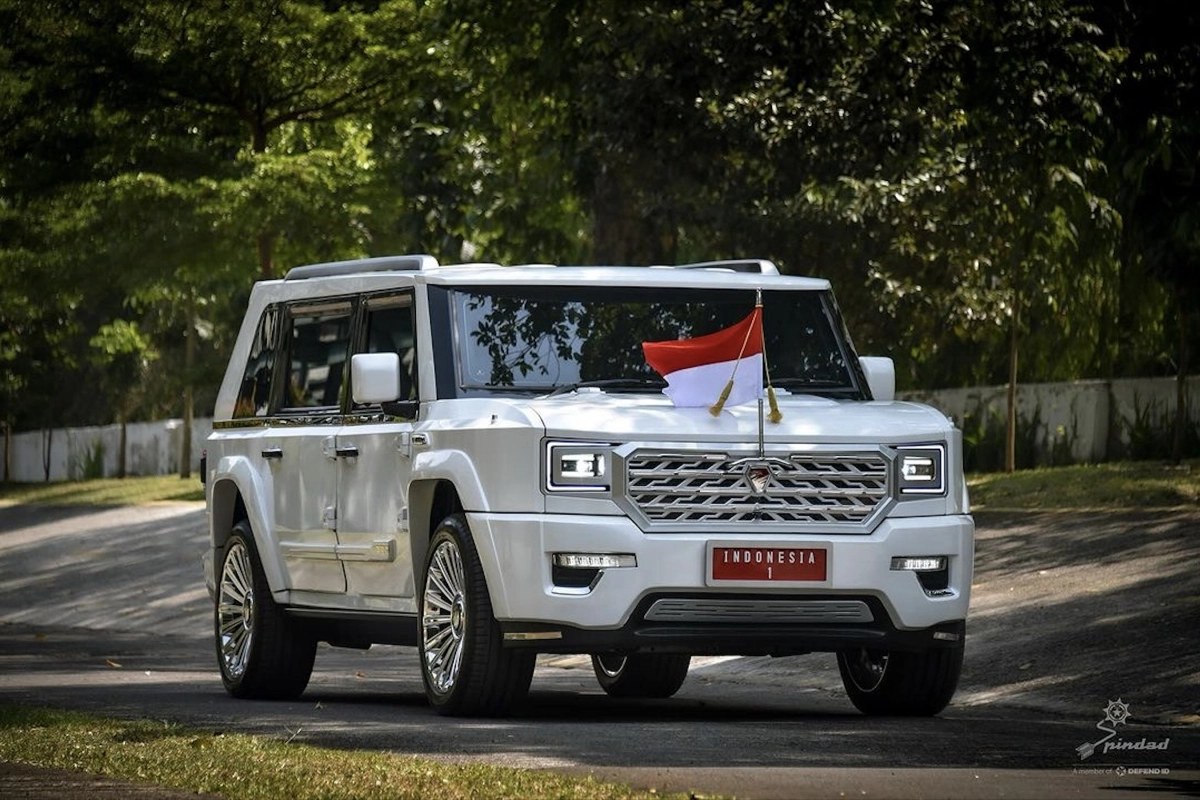
    Photo 2 replaces the vehicle that jumps behind the chair. A front view or a front three-quarter view is easier to read than a side-only photo, because the jump shows the nose, lamps, and windshield as the vehicle comes overhead. Use a vehicle you have permission to depict. Several cars in one frame make the intended vehicle less clear.

  3. 03

    Check resolution, then review the clip

    This page has no prompt box. The roles are already assigned. Open Settings for resolution, because credits depend on that choice, and read the estimate before you generate. The result runs about 12 seconds. The original soundtrack is added from the performance. For a prompt of your own, or a video of your own, use /video.

What Car Jump AI keeps, and what the photos change

The chair holds one person

The folding chair sits low on dry grass and never becomes a standing scene. The person remains seated, with one leg crossed and the other foot near the ground, while the vehicle passes behind. Photo 1 is the only portrait for that role. A second face in the same photo can make it unclear who should occupy the chair.

Choose clothing you actually want to see in the seat: a patterned shirt, a dark sweater, a jacket, or another clear outfit. The performance does not ask your photo to match the source clothing. It asks for a readable face, hair, and garment. Small accessories may shift from take to take, so check the full seated sequence before you share it.
The raised hand belongs to Photo 1

Partway through the jump, the seated person lifts one hand while the other stays lower. That gesture is already timed to the vehicle. Photo 1 replaces the person through that motion, not only in the quieter pose before the dust rises. A photo with a visible arm and shoulder gives the raised-hand moment more clothing and body context.

You do not upload a separate picture of the hand. The same portrait covers the face at rest and the body when the arm goes up. Fingers can be the least stable part of a result, especially against the dust. Watch that frame on its own. If the hand warps or the face drifts, a sharper portrait is a more useful change than a new location.

Reference still of the person in the folding chair

Photo 2 is the vehicle overhead

The vehicle enters from behind the chair, climbs through a brown dust cloud, and passes above the seated person. Photo 2 replaces that vehicle: body, color, lamps, grille, and wheels, as far as the picture makes them readable. The jump path itself stays. You are not directing a new ramp, a new landing, or a different stunt.

A clean photo of one vehicle is the useful input. Front and front three-quarter angles show the surfaces that face the camera during the jump. A side-only photo hides the nose and can leave the overhead pass harder to connect with your vehicle. Permission covers the vehicle as well as the person.

A front view is easier to read

During the pass, the camera favors the front of the vehicle: lamps, glass, and the broad face of the body against the sky and dust. That is why a front or front three-quarter reference is easier than a pure profile. The side of a vehicle still matters, but it is not the view the jump spends the most time on.

Include the wheels and the full body if the photo allows it. A tight crop of a badge, or a picture taken from directly above, leaves the body shape thin. Color should be visible in ordinary light. Glare, heavy filters, or a row of parked vehicles give the jump less to follow. Even a clear front view can shift around edges and lamps.

Reference still of the vehicle behind the chair

Grass, dust, and the jump path stay

The dry field, the folding chair, the dust, and the low camera are part of the loaded performance. Your photos do not replace them. Photo 1 does not move the chair indoors, and Photo 2 does not swap the field for a city street. If the idea depends on a different place or a different action, build that on /video instead of expecting this scene to change.

People far in the background of the field are not a third role. There is no slot for them. The cast you control is the seated person and the jumping vehicle. Do not expect the edit to clear every distant figure or to invent a new crowd. Review the clip for stray changes around the dust, the chair legs, and the vehicle edges.

Black sunglasses stay with the seat

The person in the performance wears black sunglasses while seated. That shaded look is part of the chair scene, including the raised-hand moment. Your portrait still supplies the face, hair, and clothing around those glasses. A photo with the eyes visible is fine. You do not have to photograph someone who is already wearing the same frames.

Sunglasses can interact oddly with a hat brim, with hair across the eyes, or with glasses already in the portrait. Look at the face before the jump and again when the hand is up. A specific likeness is not something this scene can promise. If the face and the outfit do not read as the person you chose, try a sharper photo with fewer obstructions.

Preview frame of the jump behind the seated person

The on-page preview is only a display

The preview on the page is a display example, separate from the generation source. It shows the chair, the raised hand, and the vehicle path so you can judge the scene before you upload. It is not a file you attach, and it is not swapped in as your Photo 1 or Photo 2.

Generation uses the loaded performance plus the two photos you assign. A display frame is not a claim that your result will match that example. Treat the preview as a map of roles and timing. Then judge your own clip: the seated face, the clothing, the raised hand, and the vehicle overhead.

Twelve seconds, with the performance soundtrack

The result is about 12 seconds. There is no control on this page for stretching the jump or adding a second stunt. The chair, the lift of the hand, the dust, and the pass overhead all fit inside that length. Watch it once for the person and once for the vehicle before you decide to keep it.

The original soundtrack is added from the performance. You do not upload music, and the photos do not create a new voice. Credits depend on resolution. The estimate shown for the current resolution is the one that applies. A custom prompt or a different video belongs on /video, where the scene is no longer limited to this chair and this jump.

The chair, the raised hand, and the vehicle path in the preview clip

Car Jump AI: your questions answered

How many photos does the chair scene use?

Two. Photo 1 is the person in the folding chair, including the raised hand. Photo 2 is the vehicle that jumps behind the chair. Both are required. The field, the chair, and the jump are already in the performance.

Does my portrait need to show a raised hand?

No. The raised hand is an action in the performance. Photo 1 supplies the person who performs that action. A clear face, visible hair, and a readable outfit are more useful than a photo that copies the gesture but hides the face.

Which vehicle photo is easier to use?

A front view or a front three-quarter view is easier to read than a side-only photo. Show one vehicle, with the body and color visible, and use a vehicle you have permission to depict. Details around lamps, wheels, and the dust can still change from one result to another.

Is the preview the source of the generation?

No. The preview on the page is a display example, separate from the generation source. It helps you see the chair and the jump. Your two photos are the inputs that change the person and the vehicle inside the loaded performance.

Can I pick a new location or write a prompt here?

No. This page keeps the grass, the chair, the dust, and the jump. It has no prompt editor. A prompt of your own, or a video of your own, belongs on /video. Credits for this scene depend on the resolution you select. This is not a partnership with any car brand.

How long is a Car Jump AI clip, and what audio does it use?

About 12 seconds. The original soundtrack is added from the performance. It is not a new recording made from the uploaded person or vehicle. You need permission for the people and vehicles you upload. Results vary.

Seat one person in Car Jump AI

Choose who stays seated and which vehicle clears the dust. Photo 1 takes the raised hand. Photo 2 takes the jump. The field, the chair, and the timing stay in the performance.

Try Car Jump AI