Skip to content

Phone Stuck to Train AI Video Generator

One portrait enters a platform scene that already holds the train and the phone. Bring the face and the outfit. Leave the set where it is.

Create a video

Character photo

One person beside a train the photo can skip

Phone Stuck to Train AI casts a single person into a scene that already contains the train, the phone, the platform, and the run along it. Your photo does not need a handset, a carriage, or a station. It needs one permitted person, with a face and an outfit you can follow. Other people already on the platform are not extra roles, and the window moment does not require a picture of the handset. The result is about 14 seconds. This page is not a railway partnership and not a phone-brand partnership. Prompt writing and videos of your own are handled at /video.

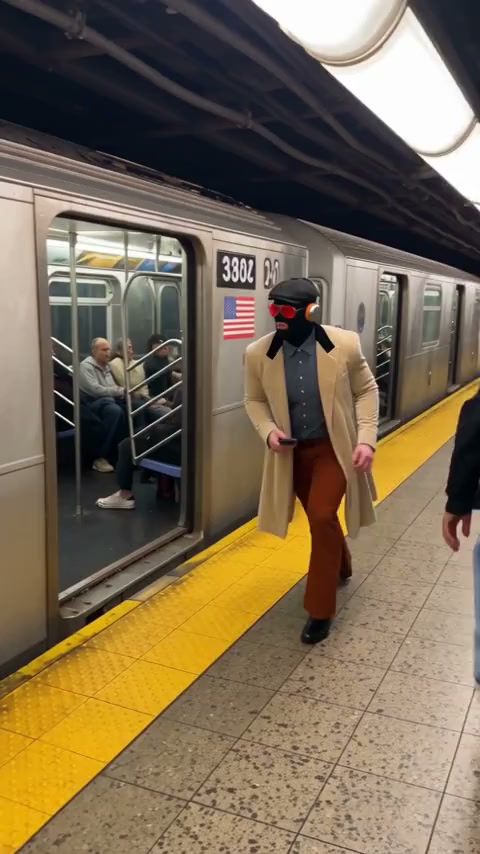
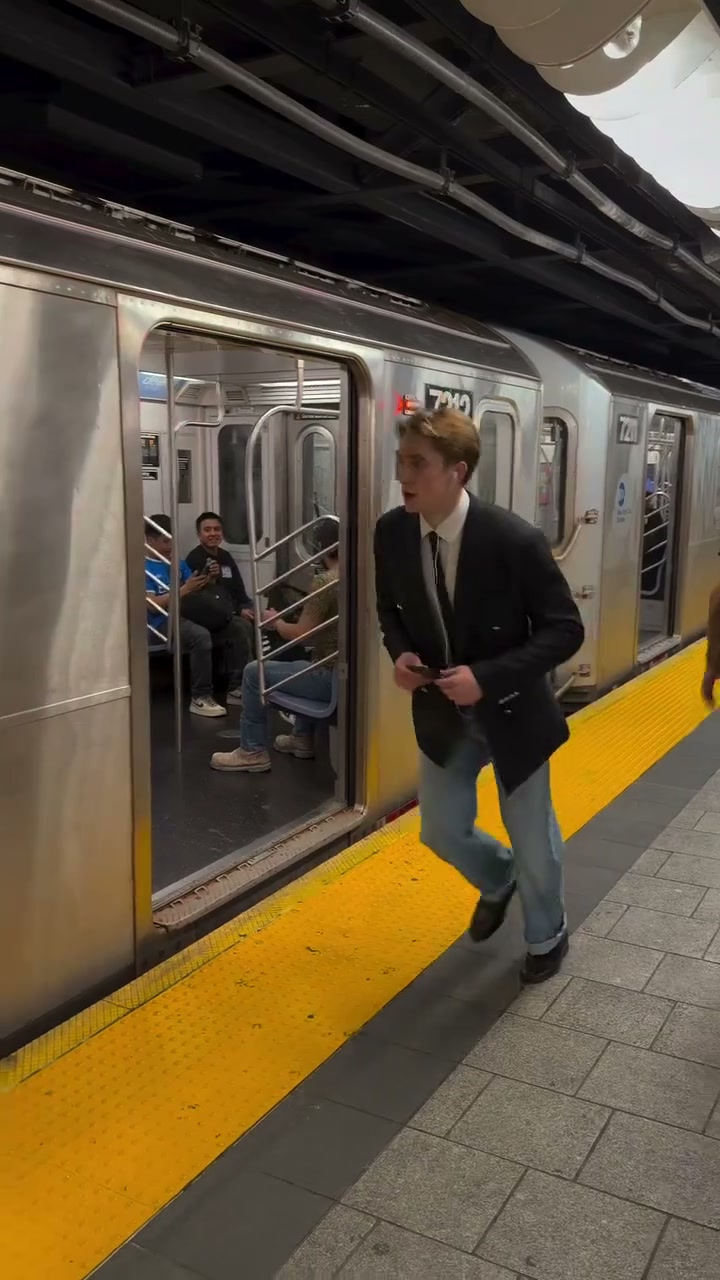
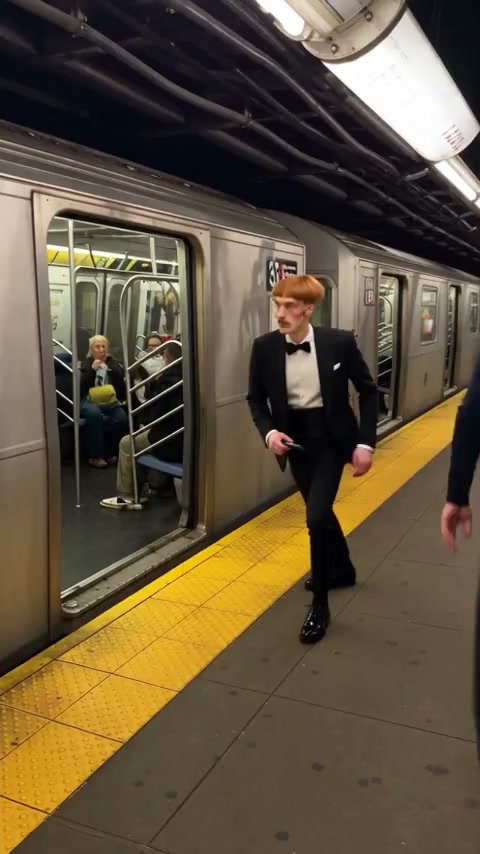
Community example in a tuxedo beside the train

Cast the person, not the platform

  1. 01

    Choose one person and one outfit

    Upload a single photo with the face, hair, body, and clothes visible. The train and the phone are already in the scene, so do not stage them in the picture. A group photo leaves the role unclear.

  2. 02

    Pick a resolution and read the estimate

    Settings is where the resolution lives. Credits follow that choice. Check the estimate before you generate. There is no prompt field, and there is no slot for a second person, a train picture, or a product shot of a phone.

  3. 03

    Watch the platform, the window, and the run

    Play the whole clip. The same person should hold from the platform view through the train-window moment and the run. Other people and the train stay part of the scene. The performance soundtrack is restored from the source.

What Phone Stuck to Train AI takes from one photo

Cast a single person into the platform

There is one role. The photo replaces that person and no one else. Face, hair, build, and clothing should all be visible enough to carry through a moving shot. You do not need to photograph anyone running, and you do not need to copy a pose from the platform.

Two friends in one frame do not become two roles. If you are deciding between people, make two separate results with one portrait each. Permission is required for the person you upload. A picture you do not have rights to use does not become usable because the scene is a short platform bit.

The train is already waiting in the shot

The train, the station, and the view along the platform are part of the scene you are entering. Your portrait can be taken in a hallway, a studio, or a backyard. None of those backgrounds replace the train. The performance already includes the phone-on-train viewpoint and the run beside the carriages.

Do not upload a picture of a different vehicle and expect the scene to follow it. A bus, a car, or a toy train in the photo is not a new set. The carriages stay. If you need another location or another action, build that other idea at /video rather than forcing this platform to become something else.

Community example wearing a trench coat in the same train scene

The phone does not belong in your photo

The phone is already stuck in the scene. You do not need to hold a matching handset, tape a phone to anything, or show a screen. A portrait with empty hands is a valid costume reference. The object, and the viewpoint that includes it, remain with the source performance.

Brand marks on a phone in your picture are unnecessary and will not turn this page into a product placement. This is not a partnership with a phone brand, and it is not a partnership with a railway. The names on the train, the station, or a handset in the scene are simply part of the existing shot. Leave logos out of the portrait and let the performance keep the objects it already has.

Show the outfit, not the station

The clothes in the portrait are the clothes beside the train. A coat, a formal suit, or sportswear reads when the photo actually shows it. A headshot that cuts off at the collar gives the scene little to wear during the run. Include enough of the body for the outfit to be obvious.

Small logos and fine patterns can change once the person is moving past the carriages. Prefer a silhouette and a color you will still recognize in the window moment. The outfit does not need to be something a traveler would wear. It needs to be visible on the person you had permission to upload.

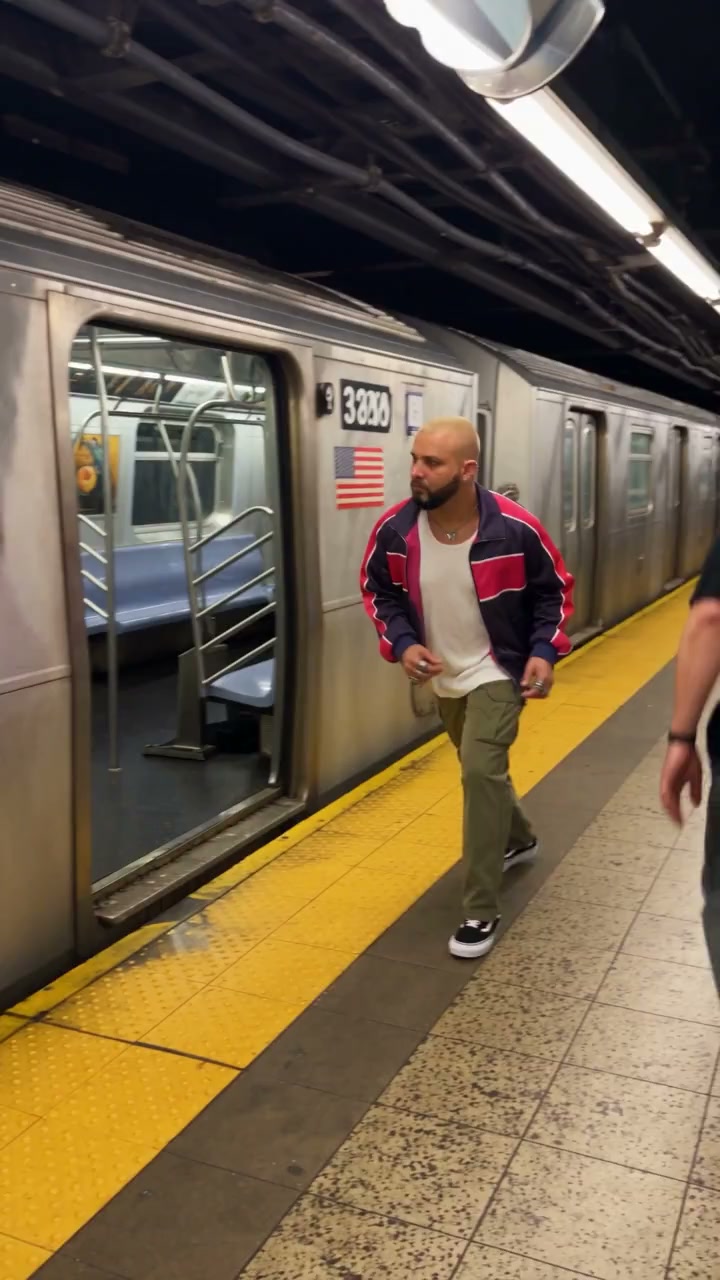
Community example in sportswear running with the train

Other people on the platform stay

The scene already contains other people. They are not open roles, and they do not get photo slots. Your one portrait should not be read as a request to recast the crowd. Review those nearby faces anyway, because a moving platform can pull a feature from the lead onto someone passing close.

If a bystander changes more than the person you cast, the result needs another look before you share it. Fixing that does not mean uploading the bystander. It means checking whether your own portrait was clear, and whether the lead stayed the same person from the first platform view to the run.

No railway or handset partnership

Phone Stuck to Train AI is a casting page for one person inside an existing scene. It is not a station campaign, a carrier promotion, or a handset promotion. Nothing on this page authorizes you to speak for a railway, a transit agency, or a phone maker. The scene can show a train and a phone without those organizations taking part in your cast.

Keep that boundary in the caption if you publish the clip. The train and the phone stay because they are already in the performance, not because a brand asked for them. You still need the rights required for your use of the picture, the footage, and the restored soundtrack.

Frame showing the character’s outfit beside the train

The run keeps its original sound

The performance soundtrack is restored from the source. There is no music upload and no voice recording of the person in your photo. The audio lines up with the platform action that already exists, including the run and the phone-on-train view. Listen while you watch those passages.

Mouth movement follows the performance, and a tight match is something to verify rather than expect on the first play. Restored sound is also not a license. About 14 seconds is the length of the scene. There is no control to stretch the run or add another carriage.

Match the estimate to the resolution

Credits follow resolution. After you pick a size in Settings, read the estimate again. It belongs to this platform scene and this one photo, not to a sample priced for a different clip. Generating spends that estimate from your account. Preparing the portrait does not.

If the outfit disappears, replace the photo before you generate again at a larger size. The saved result stays in your creations, and opening it again is not a new request. Leave for /video only when you need wording of your own, or a clip that is not this train.

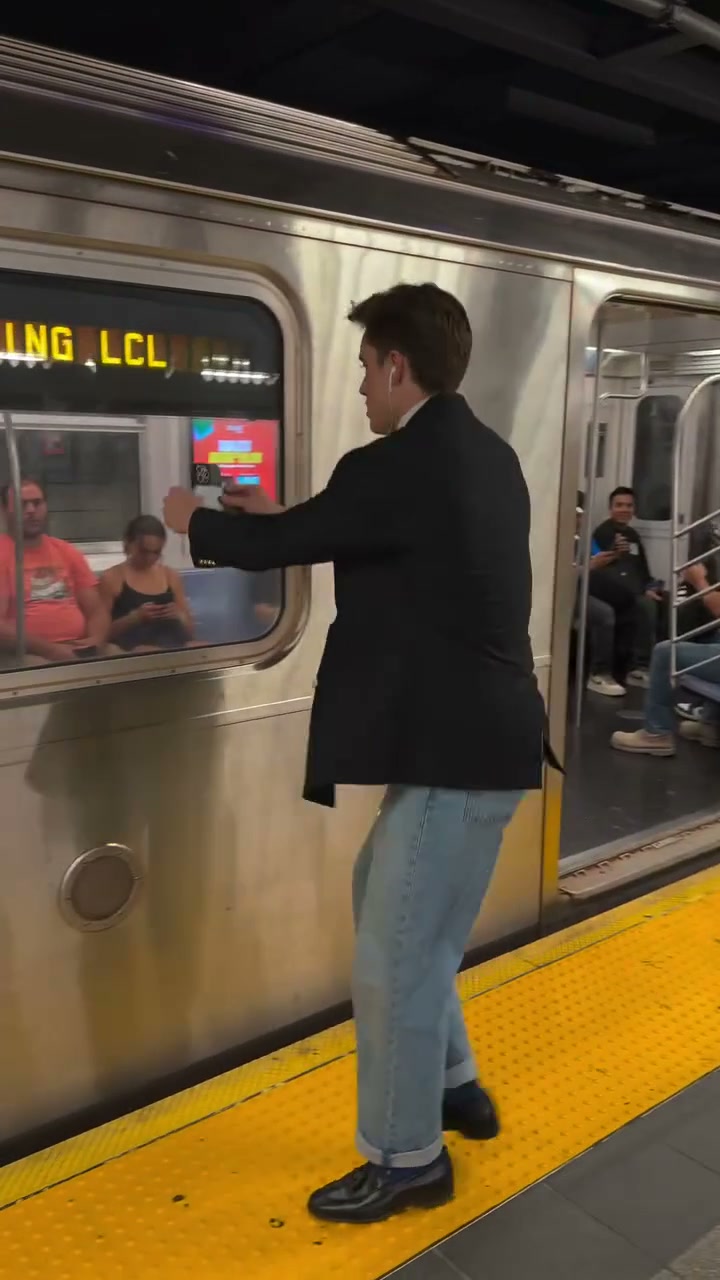
Frame of the train window moment

Phone Stuck to Train AI: your questions answered

Does a Phone Stuck to Train AI photo need the train?

No. The train and the phone are already in the source scene. Upload one person with face, hair, outfit, and body visible. A portrait from anywhere else can enter the platform. Do not stage a handset or a carriage in the photo.

How many people can I cast?

One. Other people already on the platform stay in the scene and do not have upload slots. A group photo does not assign friends to the crowd. Permission is required for the person in the single portrait.

Is this a railway or phone-brand partnership?

No. This page is not a railway partnership and not a phone-brand partnership. Casting a person into the scene does not create a sponsorship, a station campaign, or permission to represent a carrier or a handset maker.

How long is Phone Stuck to Train AI?

About 14 seconds. The platform views, the train-window moment, and the run sit inside that length. There is no duration picker and no way to add extra track. Watch the downloaded file from the first step to the last.

Can I type a prompt to change the train?

No. This page has no prompt field. The train, the phone, the station, and the other people stay with the scene. Use /video for a prompt of your own or a video of your own.

Where does the sound come from?

The performance soundtrack is restored from the source. You do not upload audio. The restoration is not a new voice for your portrait and not a right to republish the track. Credits follow the resolution you select, separate from the sound.

Cast one person in Phone Stuck to Train AI

Bring a permitted portrait and the outfit you want. The phone and the carriages are already there. Read the resolution estimate, then watch all 14 seconds.

Try Phone Stuck to Train AI