Skip to content

Hotel Lobby AI Video Generator

The left person is Photo 1 and has to be added first. The right person is Photo 2. Their sides stay put while the orange set and the microphone stay in the scene.

Create a video

Left person · Photo 1
Right person · Photo 2

Two sides, one orange set

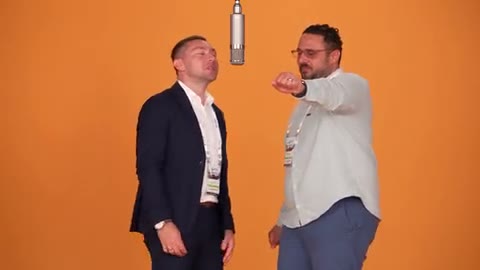
The picture is not a hotel desk and not a guest lounge. It is a two-person performance on a flat orange wall, with a yellow floor and a microphone hung between the performers. Hotel Lobby AI uses that fixed scene. Photo 1 becomes the person on the left and must be added first. Photo 2 becomes the person on the right. Replacing a photo later keeps that same side. Outfits come from the portraits. The gestures, the wall, and the microphone do not. This is not a hotel partnership.

Hotel lobby preview with one person on each side

Place each person on a side

  1. 01

    Upload the left person first

    Photo 1 is the left side. Add it before the right-side photo. Use one person with a visible face, hair, and the clothing you want on that side. A portrait against a plain background is easier to read than a group crop. You need permission for the person in the file.

  2. 02

    Add the right person second

    Photo 2 stays on the right. Choose someone distinct from Photo 1 if you want the two sides to read as two people. Include the outfit, not only a face cropped at the chin, because the performance shows shirts, arms, and legs. Replacing this file later changes the right side only.

  3. 03

    Read the estimate, then watch both sides

    The page does not include a prompt editor. Resolution is the setting that changes the credit cost, so confirm the estimate before generating. The clip runs about 23 seconds. The original soundtrack is added from the performance. A prompt of your own, or a video of your own, belongs on /video.

Left and right in Hotel Lobby AI

Add the left person before the right

The form is built so the first photo locks to the left performer. That person stands on the left of the hanging microphone, often pointing, stepping, or looking upward in the source. In the loaded performance the left outfit is a striped short-sleeve shirt over a white tee, with light jeans and white-framed sunglasses. Your Photo 1 replaces that whole look.

You do not have to dress anyone in stripes or white sunglasses. Those clothes identify the source role. The shirt, jeans, hair, and face in your file are what enter the left side. Add this photo first. If you remove files, take care that the remaining portrait is still the person you want on the left before you add the right side again.
The right side is a separate portrait

The right performer wears an orange open-knit shirt and dark shorts in the source, with darker sunglasses and a lot of wrist detail. That description is only a map of the role. Photo 2 replaces the person, the hair, and the clothing on the right. A navy suit, a dress, or a plain tee can occupy that side if that is what the photo shows.

Keep Photo 2 to a single intended person. A collage, a reflection, or two friends in one frame gives the right side no clear choice. Full-body context helps because the camera sometimes shows boots and shorts, not only the face. The right person should be someone you have permission to depict, just as with the left.

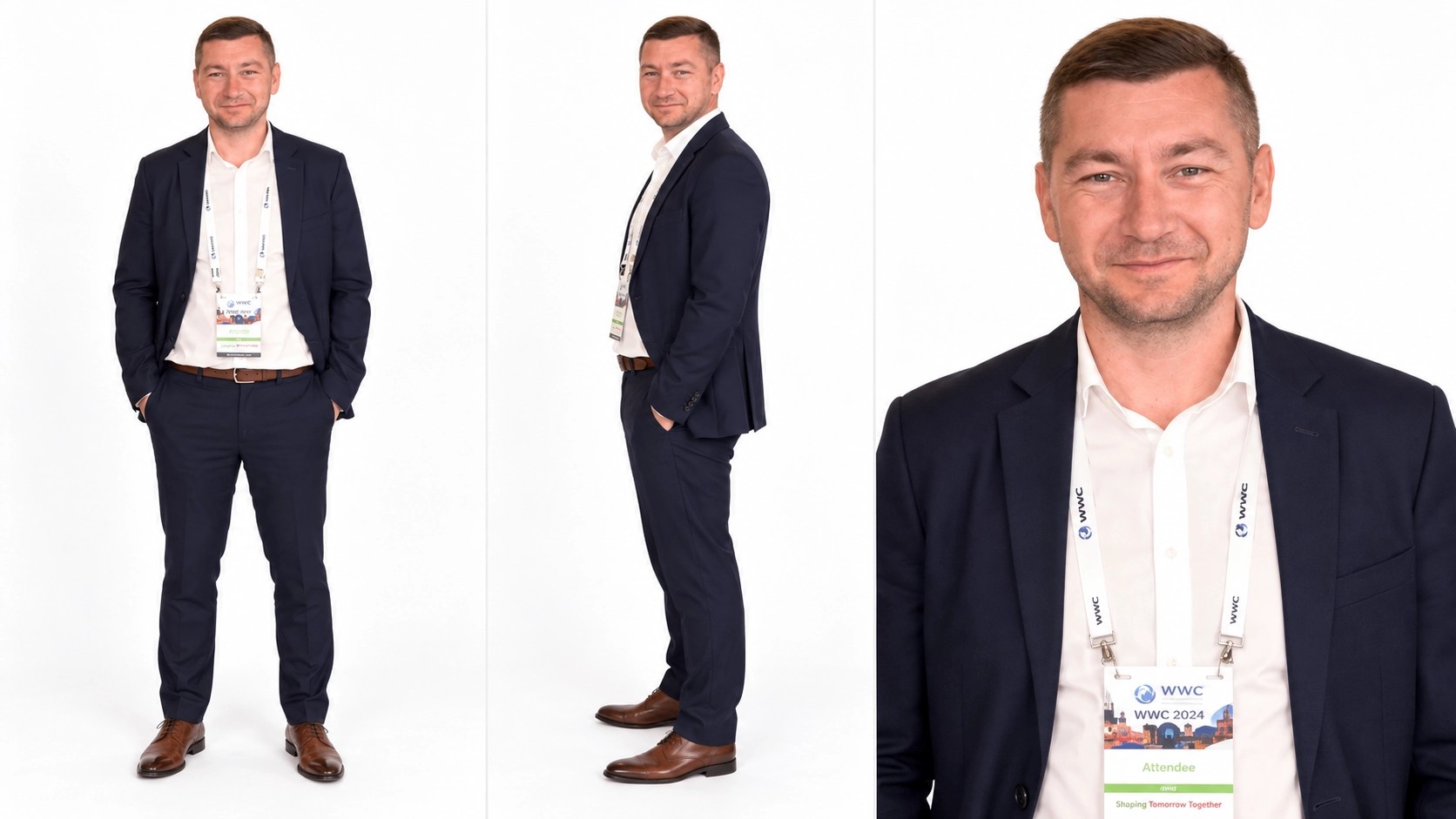
Example portrait for the left side of the lobby

Replacing a file keeps its side

If the left face is the one you want to change, replace Photo 1. The new person still stands on the left. If the right outfit is the problem, replace Photo 2 and the right side updates. Swapping sides means putting each person in the other slot, not hoping the scene will trade them on its own.

The two roles do not share a wardrobe or a gesture list. A jacket on the left does not migrate to the right halfway through. When you review the clip, pause on a wide frame and on a closer one. Check that the left person is still the left portrait and the right person is still the right portrait after they move their hands.

An orange set, not a hotel desk

Nothing in the frame is a lobby counter, a key card, or a branded suite. The location is the orange wall, the yellow floor, and the microphone on a cable between the two people. The page title names this performance. It does not book a hotel, and it is not a partnership with any hotel, artist, or label.

Because the set is already simple, your photos are not asked to supply a room. An indoor snapshot, a studio portrait, or a picture outdoors can all be placed onto that orange background. The lighting on the wall will still dominate. If you need a real lobby, a hallway, or a different color of set, create that scene on /video.

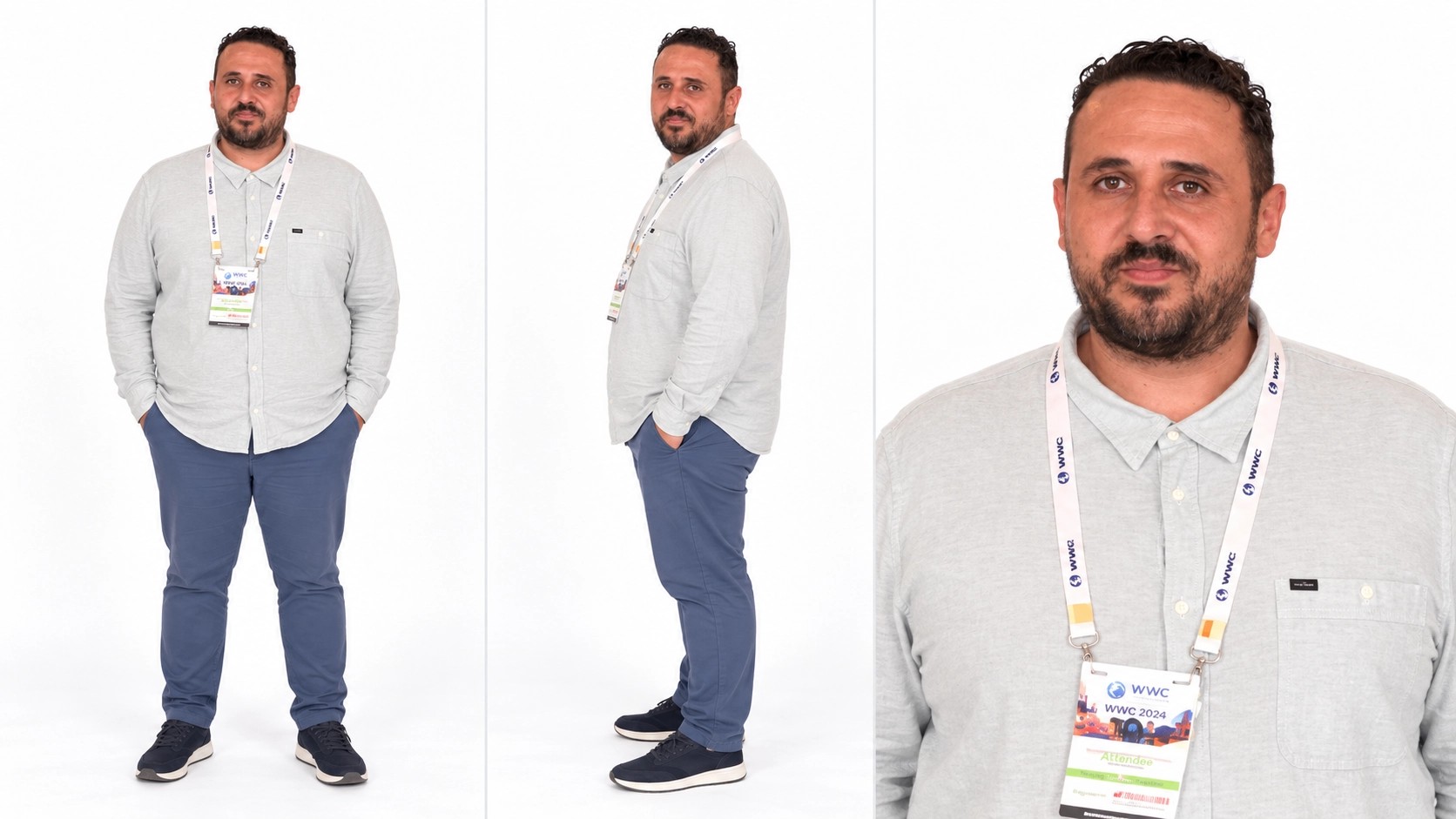
Example portrait for the right side of the lobby

Each outfit comes from its own photo

Clothing is part of the cast, not a filter applied later. The left photo decides the left shirt, jacket, dress, or suit. The right photo decides the right one. Patterns, logos on fabric, and layered necklaces are more fragile than a solid garment with a clear shape. Choose outfits that can survive arm movement.

Sunglasses in the source are part of how those performers appear, but your photos define the eyewear you want to bring. Hats, long hair, and hoods can cover the face during a head turn. Look at both people whenever a hand passes near the face. A specific likeness is not assured, even when the outfit is unmistakable.

The microphone and the floor stay

The hanging microphone is not a prop you upload. It stays between the two sides and moves only as the performance already moves it. Hands may point toward it or pass under it. Your photos do not relocate it, remove it, or turn it into a different object.

The yellow floor and the orange wall stay as well. Small graphics already printed in the frame belong to the set. There is no slot for replacing them. If a hand, a sleeve, or a swinging arm crosses the microphone, check that the limb still belongs to the correct side. Overlaps are where identities are most likely to blur.

Preview frame of the two-person lobby scene

Gestures do not trade sides

The left performer and the right performer have different moves: one may point across the body while the other lifts an arm or looks up. Those actions stay with the side that owns them. Photo 1 does not steal the right-side choreography, and Photo 2 does not move to the left spot for a verse.

You do not need action photos that copy those gestures. Still portraits are valid casting images. What matters is that the face and clothes remain recognizable while the body follows the performance. Fast hand motion can smear rings, cuffs, and fingers. Replay those seconds before you call the take finished.

A short performance and its original track

Expect about 23 seconds. The page does not offer a longer arrangement or a cutdown control. Both people remain in the scene for that span, so a photo that only works as a tight headshot may look thin when the frame shows more of the body. Review the full duration, not a single favorite frame.

The original soundtrack is added from the performance. The portraits do not receive newly written speech, and the track is not proof of a studio session or a label release. Credits depend on resolution. Use the estimate tied to the resolution you selected. Anything that needs its own prompt or its own footage starts at /video.

The lobby conversation with both sides kept in place

Hotel Lobby AI: your questions answered

Which photo is the left person?

Photo 1. Add it first. That portrait stays on the left of the microphone, including after you replace the file. The right person is Photo 2 and is added second. Putting them in the other order puts them on the other sides.

What happens if I replace only one photo?

Replacing a photo keeps that side. A new Photo 1 updates the left person and leaves the right person in place. A new Photo 2 does the reverse. The orange wall, the floor, and the hanging microphone stay either way.

Is Hotel Lobby AI filmed with a hotel partner?

No. It is not a hotel partnership, and the scene is not a hotel interior. The set is an orange wall, a yellow floor, and a microphone between two people. The page is also not an affiliation with the performers or a label.

Can the two people switch sides without new files?

No. Sides follow the slots. To switch people, place each portrait in the other role, with the left person still added first. The performance will not trade their gestures or their positions on its own.

Do the photos need to match the source outfits?

No. The striped shirt and the orange knit shirt are source costumes, not requirements. Each photo brings its own clothing. Use clear garments, faces, and hair, and only upload people you have permission to depict.

How long is the clip, and where do credits come from?

About 23 seconds. Credits depend on resolution, and the estimate follows the setting you choose. The original soundtrack is added from the performance. A prompt of your own, or a video of your own, belongs on /video. Results vary, and likeness can shift across the take.

Cast both sides in Hotel Lobby AI

Add the left portrait first and the right portrait second. Those sides, the orange set, and the microphone stay. You bring two people you have permission to use.

Try Hotel Lobby AI