Skip to content

Zombie AI Video Generator

Photo 1 replaces the man throughout. Photo 2 is a healthy portrait of the woman. The scene keeps her healthier in the memories and alters that look in the darker passages.

Create a video

Male role · Photo 1
Female role · Photo 2

Two portraits, and the scenes split her look

Zombie AI casts two people into a story that already moves between memory scenes and darker scenes. Photo 1 replaces the man across those scenes. Upload a normal portrait for him. Photo 2 is a healthy portrait of the woman. You do not create her altered appearance yourself. The darker scenes produce that change, and the memory scenes keep her healthier. Both people require permission. About 27 seconds of story are already cut. If you need your own wording or a different clip, go to /video.

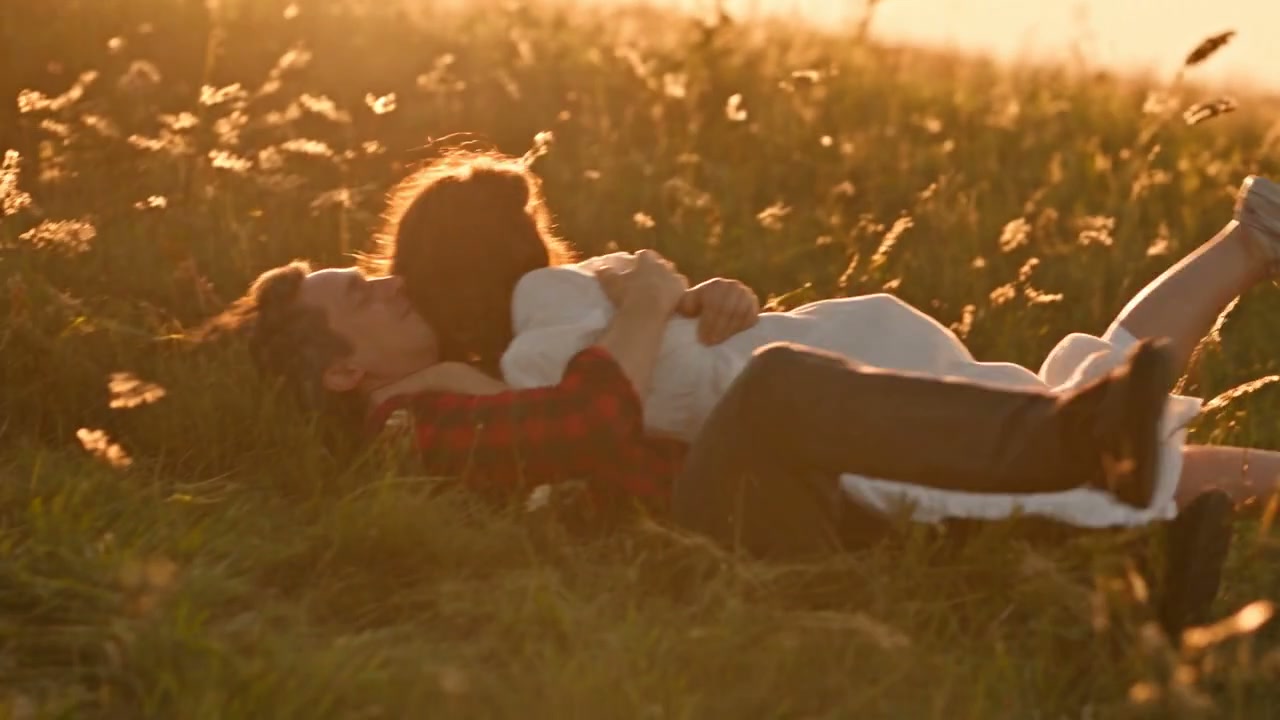
Community memory scene with the two portrait roles

Cast the two roles with ordinary portraits

  1. 01

    Upload a normal portrait for the man

    Photo 1 is the man in every passage, including the memories and the darker scenes. Use one clear portrait with face, hair, body, and clothing. Do not send a graphic or injured version of him. The scene already has his actions.

  2. 02

    Add a healthy portrait of the woman

    Photo 2 should show her well, in ordinary light, with the face and clothes you want recognized. Leave injury imagery out. After both files are set, choose a resolution in Settings. Credits follow that resolution. This page has no prompt field.

  3. 03

    Review the memories and the darker scenes

    Watch the full result. The woman should read as healthier in the memory scenes and altered in the darker ones, while the man remains the same role. The performance soundtrack is restored from the source. Keep the clip from your creations if that split holds.

How the two portraits meet Zombie AI

One portrait covers the man throughout

Photo 1 is not limited to a single shot. It replaces the man across the scenes, so the same face, hair, build, and clothes need to hold when the story changes temperature. A normal portrait is the right upload. The actions he already performs stay with the scene.

Do not try to pre-stage a harmed version of him for the darker passages. That is not the job of the file, and graphic injury photos should not be uploaded at all. If his face is shadowed, cropped, or shared with another person, the later scenes have less to stay consistent with.

Start the woman from a healthy photo

Photo 2 is a healthy portrait. Show her face, hair, and clothing in a straightforward picture, the way you would want her recognized in the memory scenes. The altered look is not something you paint on, bandage, or photograph in advance.

A costume you want in both moods should be visible on this healthy photo. The memory scenes and the darker scenes draw from the same identity. If the portrait hides the outfit, both versions of her have to guess at it. One clear, ordinary picture is the useful starting point.

Excerpt of the brighter memory passage

Darker scenes and memory scenes split her look

The story already contains that split. In the memory scenes she stays healthier. In the darker scenes the altered look is created from the healthy portrait, while she should still be recognizable as the same woman. You are not uploading two versions of her and you are not assigning a third photo to the change.

The man does not follow her split. Photo 1 remains his appearance across both kinds of scene. If the result swaps their roles, the files are in the wrong slots. Photo 1 is the man. Photo 2 is the woman. The shot order between memory and darkness stays with the story.

Clothes travel with the two portraits

What each person wears comes from their own photo. The man’s clothes should continue from the memory scenes into the darker ones. The woman’s clothes come from the healthy portrait and are part of how you recognize her after the look changes. A face-only crop throws away that information.

Patterns, jewelry, and small marks can shift during the longer story. Choose clothing that is still identifiable if a detail softens. Do not use a damaged costume or an injury effect in the upload to push the darker scenes. The scene makes the alteration. Both photos should stay ordinary references, with the woman’s picture healthy and neither file carrying graphic material.

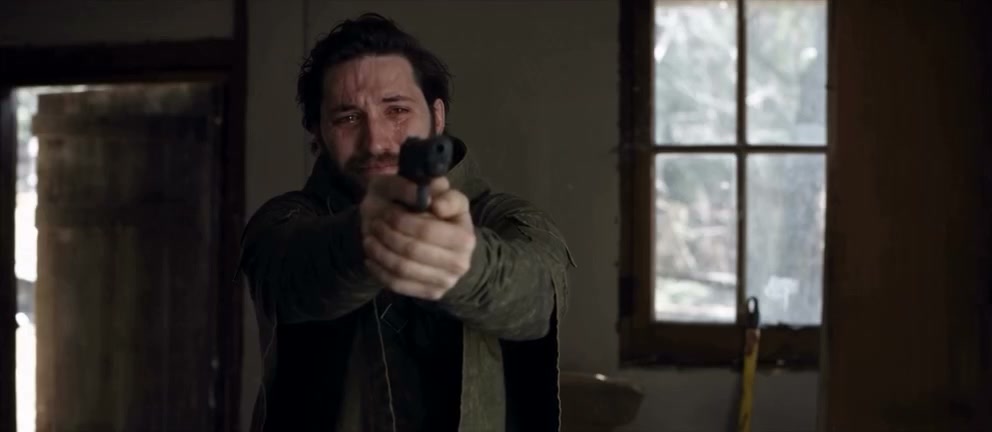
Excerpt of the darker passage where the second portrait is restyled

Leave injury imagery out of the upload

Do not upload graphic injury photos for either role. No wounds, no aftermath shots, and no pictures staged to look harmed. Zombie AI expects a normal portrait of the man and a healthy portrait of the woman. The altered appearance, where the story uses it, is created in the darker scenes.

That boundary is also about what this page will not help you do. It is not a place to design graphic harm, to request a more severe result, or to describe injuries in a prompt. There is no prompt field here. If you want a different story entirely, take a custom prompt or a custom video to /video.

The altered look has a limit

The change is tied to the darker scenes, not to every frame and not to the man. You should still be able to tell that the woman in the memories and the woman in the darker scenes came from Photo 2. If the alteration replaces her with someone else, the cast missed. Review both passages, not only the most dramatic frame.

Hands, faces, and clothing can wander across a story of this length. A convincing memory scene does not settle the darker ones, and the reverse is also true. Watch the transitions. The scene’s timing, framing, and move from one passage to the other are already fixed.

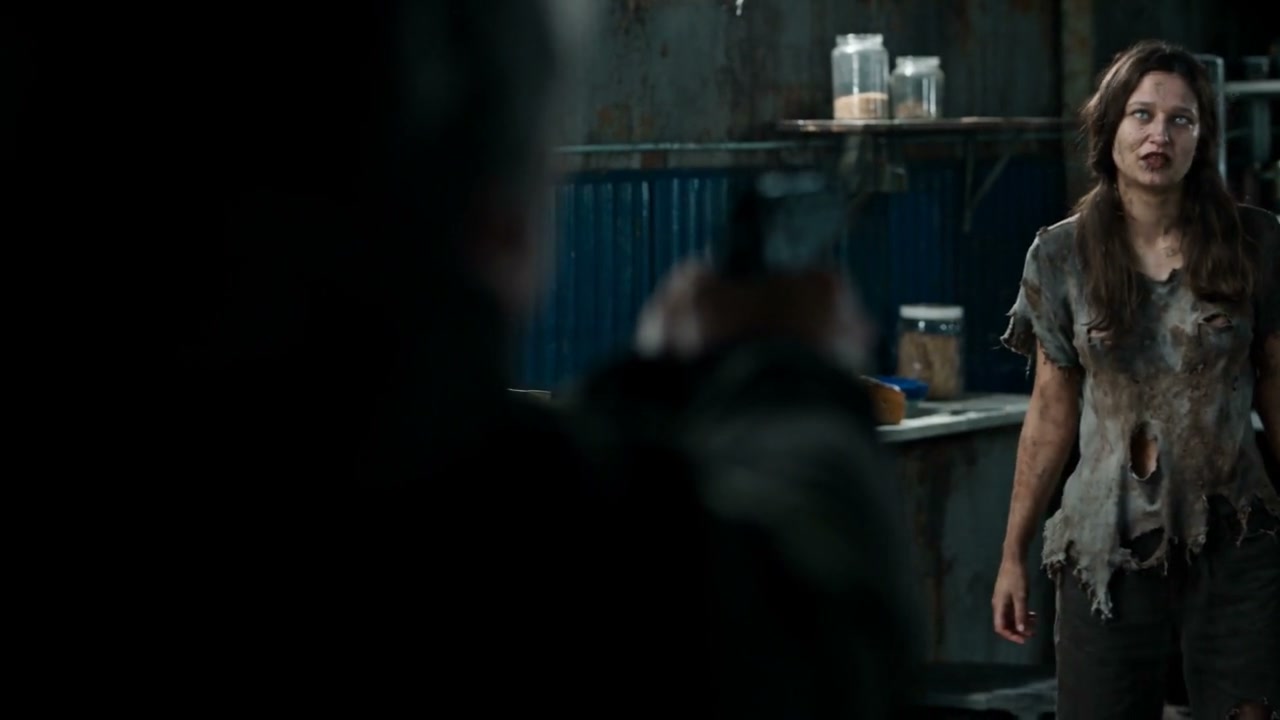
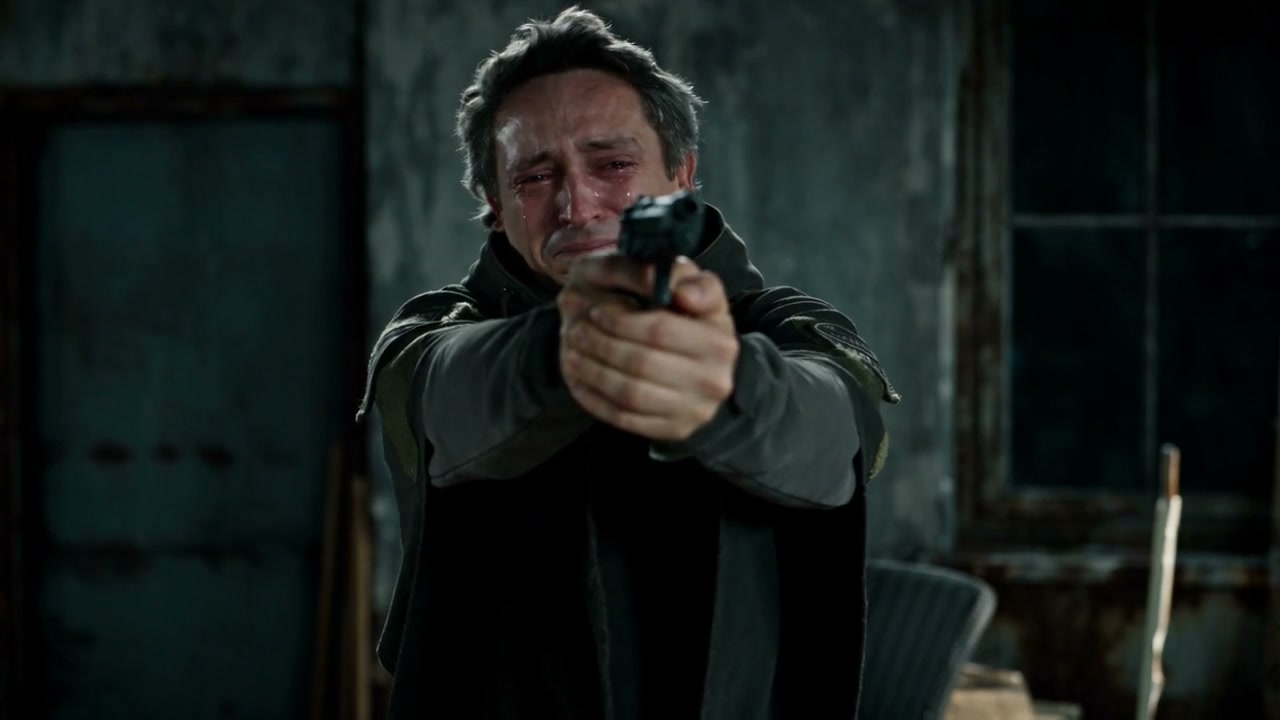
Frame of the first role in the source scene

The running time follows the source story

The result is about 27 seconds. That span includes the memory scenes and the darker scenes in the order the story already uses. You cannot cut the memories out, hold on one shot, or add a new ending from this page. Plan to watch the handoff between those moods, since that is where her look is supposed to change and his is not. There is no duration control.

Sound is restored with the picture. The performance soundtrack comes back from the source, which helps you judge whether a passage starts when it should. It is not a new voice for either portrait, and it is not a license to republish the audio. Listen to the full 27 seconds before you share.

Permission, size, and a second look

Permission is required for both people. A portrait borrowed without consent does not become acceptable because the story is fictional, and a public photo is not a release. Use people who agreed, yourself, or character images you may edit. Keep those files ordinary and healthy.

Credits follow the resolution in Settings. Change the size only when you mean to, and read the estimate again before you generate. If the woman looks wrong only in the darker scenes, try a clearer healthy portrait rather than a graphic one. Reopen a finished clip from your creations without paying for it twice.

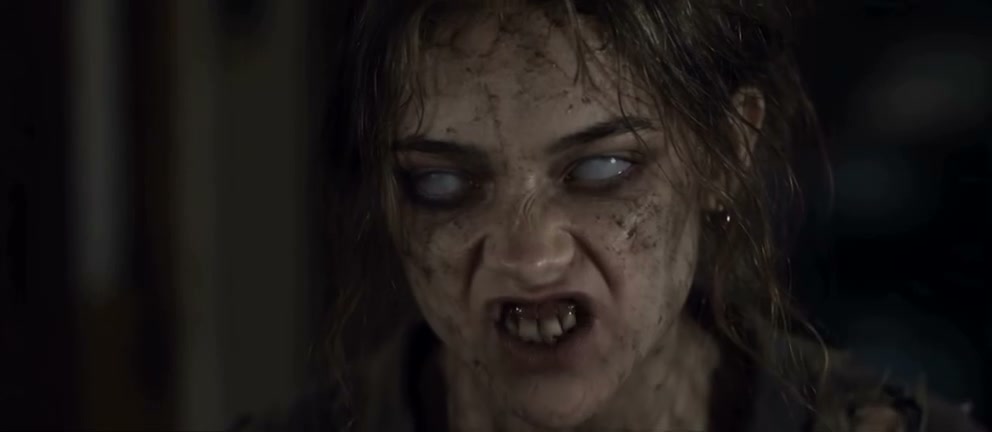
Frame of the altered look created for the second role

Zombie AI: your questions answered

What should the woman’s photo show?

A healthy portrait with her face, hair, and clothing visible. The memory scenes keep that healthier appearance. The darker scenes create the altered look from this same photo. Do not upload a second, already altered picture, and do not send a graphic injury photo.

Does the man change in the memory scenes?

Photo 1 replaces the man across the scenes, memories included. Upload one normal portrait. His role is not split into a healthy file and an altered file. If he and the woman trade places, swap the uploads back to the labeled order.

Should I upload makeup, wounds, or effects?

No. Do not upload graphic injury photos, wounds, or pictures staged to look harmed. Both uploads should be ordinary portraits, with the woman’s photo healthy. The altered look belongs to the darker scenes and is created there.

How long is the Zombie AI story?

About 27 seconds, covering the existing memory scenes and darker scenes. There is no control to shorten the memories or add a new passage. Watch both moods and the transitions between them in the downloaded file.

Can I prompt a harsher result on this page?

No. This page has no prompt field, and it is not a place to request graphic harm. The altered look is limited to the darker scenes and still comes from a healthy portrait. Open /video when the job is your own prompt or a different video.

How do credits work on this story?

Credits follow the resolution you select. The estimate reflects that size for this request. A higher resolution does not fix a dark, cropped, or graphic upload. Use a clear normal portrait, confirm permission for both people, and generate only when the estimate is one you intend to spend.

Cast both portraits in Zombie AI

A normal photo for the man, a healthy photo for the woman, and the story’s own split between memory scenes and darker scenes. Check permission, resolution, and the full running time before you share.

Try Zombie AI